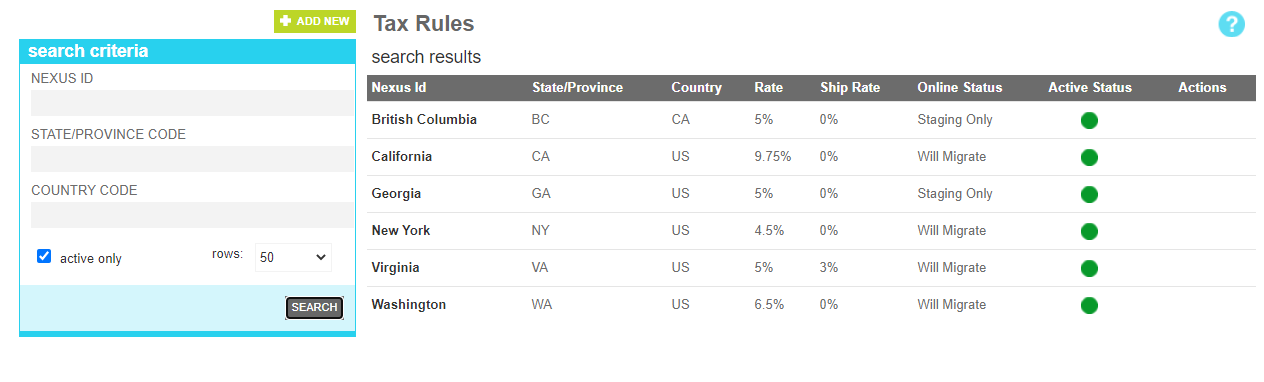
The tax rules tool allows an administrator to manage the tax rules provided in the marketAgility Basic tax plugin. If your
site is using one of the 3rd party Tax Provider Plugins, this tool acts as an override of the tax rules for a particular state/province
and country that your plugin would normally provide.
Searching
To find a nexus or nexus that share a common attribute value, a search block has been provided. To add a new Nexus, use the Add New Button
Searching for a tax nexus
These attributes are as follows:
Property
Description
Nexus Id
All or part of the tax nexus name
State/Province Code
The ISO State or Province code for the target nexus
Country
The ISO Country code for the target nexus
Active Only
Filters your result to only show currently active nexus locations
Rows
Limits the results to the indicated number.
Details
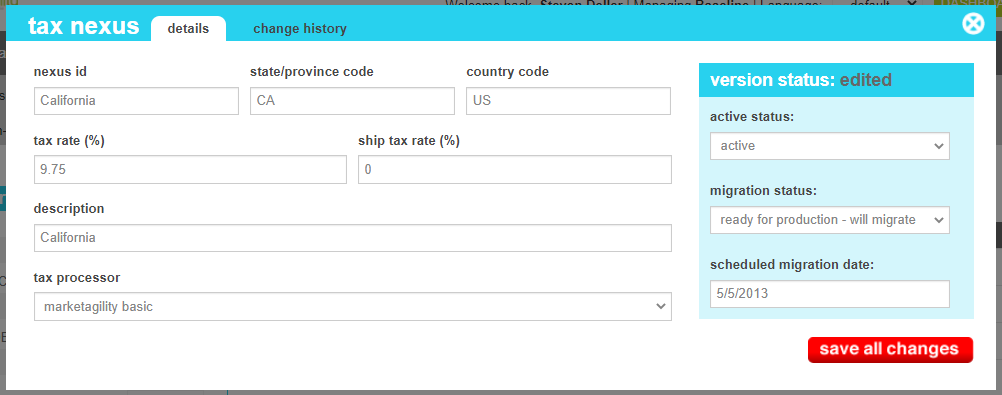
The details screen allows you to manage the nexus information, including the tax rates, description and processor plugin.
Tax Details
These attributes are as follows:
Property
Description
Nexus Id
The name/code that uniquely identifies the nexus point.
State/Province Code
The ISO code for the state or province of the destination. This value in conjunction with the Country Code
will be used to determine if this nexus and its rates should be applied to the shipping destination.
Country Code
The ISO code for the country of the destination. This value in conjunction with the State/Province Code
will be used to determine if this nexus and its rates should be applied to the shipping destination.
Tax Rate
The tax rate percentage to be applied to all products in the order.
Ship Tax Rate
The tax rate percentage to be applied to all shipping charges in the order.
Description
A short description of the nexus to explain it to other administrators
Tax Processor
The processor plugin that should be used to process this nexus. The default processor is marketAgility Basic. If you do not see your
third party provider listed, make sure you have registered the email provider in the Service Provider tool.
Active Status
Indicates whether the nexus is active or inactive. If the nexus is inactive, it will not override the default tax processor. If no default tax
processor has been defined, it will not tax the destination at all.
Migration Status
Indicates whether the current state of this nexus is visible only on staging, will be migrated to production, or is currently on production.
Scheduled Migration Date
For items that are ready to migrate, this is the date that the changes should be migrated to production. For items that are on production, this date indicates when the change was actually migrated.
Change History
The change history tab shows all of the changes that were made to this user and by whom. It is useful for diagnosing unexpected changes to your administrator accounts.