
Admin Users

The account administration tool allows an existing site administrator to create new administrative accounts, as well as modify permissions on existing accounts. An administrative account is any account that provides access to any of the tools within the marketAgility Admin application. In order to grant access to a tool or tools within the system, an administrative account must be created, and the appropriate permissions applied.
Searching

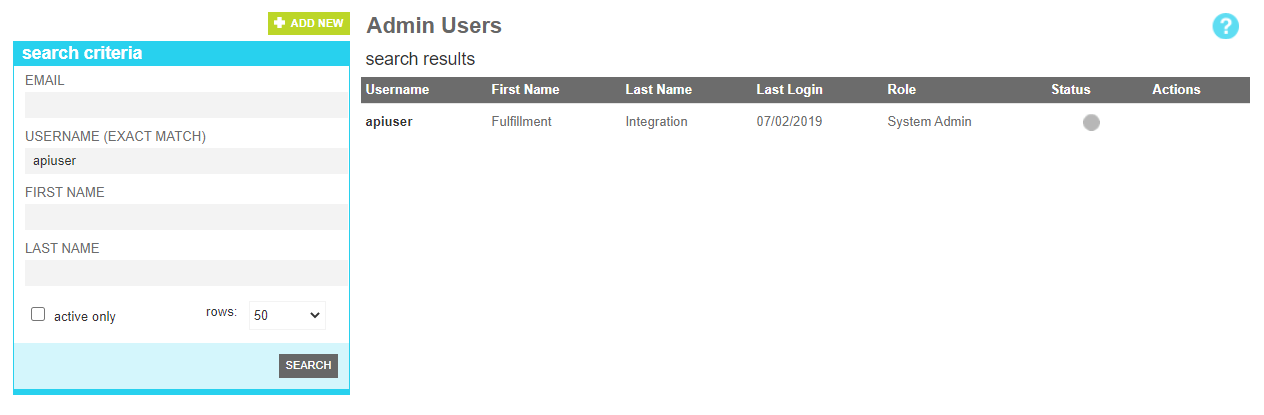
To find a user or users that share a common attribute value, a search block has been provided. The following attributes are available:

Searching for a user

These attributes are as follows:

Property Description
Email All or part of the email address of the targeted user
Username (Exact Match) The exact username of the targeted user
First Name All or part of the first name of the targeted user
Last Name All or part of the last name of the targeted user
Active Only Filters your result to only show currently active users
Rows Limits the results to the indicated number.

Details

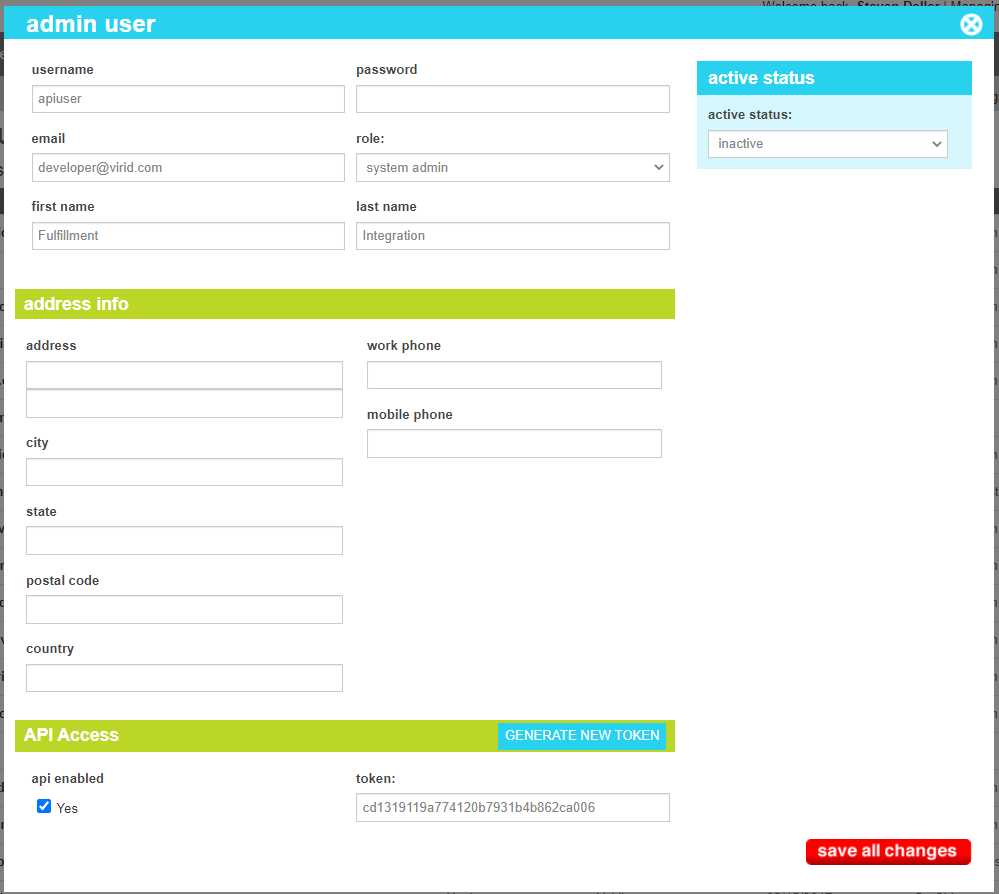
The details screen allows you to manage the admin user information, including the login credentials, access role and other descriptive information such as mailing address. Additionally, an admin user can be allowed to use the API's using this screen

Admin User Details

These attributes are as follows:

Property Description
Username he user identifier the user will use to log in
Password The user's password. Must be changed every 90 days.
Email The email address of the user
Role The Access Role the user has. These are defined the roles section.
First Name The first name of the user
Last Name The last name of the user
Address The Street (Lines 1 and 2) of the user's address
Work Phone The work phone of the user
City The city of the user's address
Mobile Phone The mobile phone of the user
State The start or province of the user's address
Postal Code The postal code of the user's address
Country The country of the user's address
Api Enabled Is this user allowed to access the APIs
Token The API Token used by the user in lieu of a password when accessing the APIs.
Active Status Indicates whether the account is active or inactive. If the user is inactive, they cannot login or access the APIs

Note

When setting up API access, you may enter your own pre-arranged API token in the field. If you do not have one, you can use the "GENERATE NEW TOKEN" button to populate the token field with a new random token. Once "Save All Changes" is clicked, the old token will be invalidated immediately, and the new token will take its place.

Change History

The change history tab shows all of the changes that were made to this user and by whom. It is useful for diagnosing unexpected changes to your administrator accounts.