Shipping Methods
The shipping methods tool allows an administrator to manage the shipping methods presented on the site. Each named method can have its own base charge and price adjustment rules, along with Carrier and SCAC designations.

The shipping methods tool allows an administrator to manage the shipping methods presented on the site. Each named method can have its own base charge and price adjustment rules, along with Carrier and SCAC designations.
To find a method or methods that share a common attribute value, a search block has been provided. If you wish to create a new method, click the "Add New" button above the search block.
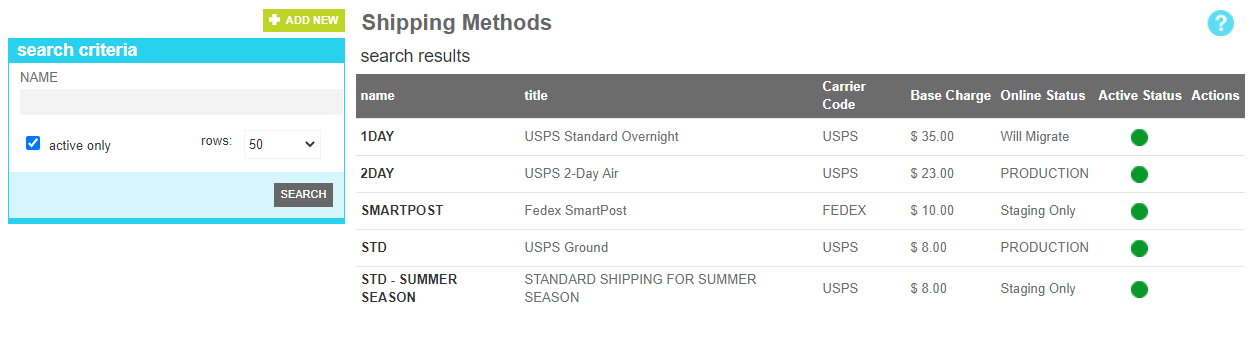
These attributes are as follows:
| Property | Description |
|---|---|
| Name | All or part of the shipping method name |
| Active Only | Filters your result to only show currently active users |
| Rows | Limits the results to the indicated number. |
The details screen allows you to manage the method information, including the base cost, carrier code and description.
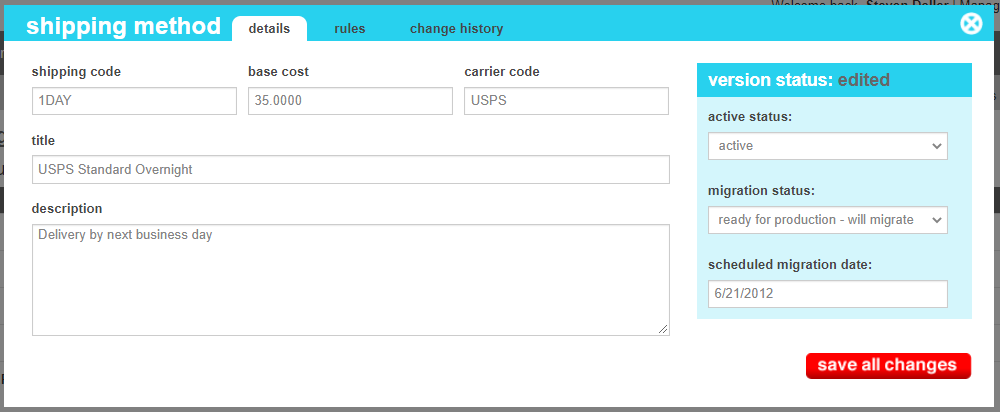
These attributes are as follows:
| Property | Description |
|---|---|
| Shipping Code | The name/code that uniquely identifies the method. This is also that code that a 3rd party integration may reference if you elect to use a plugin to manage your shipping rates. |
| Base Cost | The starting amount the customer will be charged for using this method. Any adjustments in the rules tab will be applied to this amount. |
| Carrier Code | The carrier code of the company that will service a shipment of this type. This is typically a value like FedEx, UPS, USPS, or DHL. |
| Title | The description name of the shipping method that the customer will see when choosing their method. |
| Description | A detailed description of the method that the customer may also see detailing expected delivery times or other information |
| Active Status | Indicates whether the shipping method is active or inactive. If the user is inactive, it will not appear on the website |
| Migration Status | Indicates whether the current state of this method is visible only on staging, will be migrated to production, or is currently on production. |
| Scheduled Migration Date | For items that are ready to migrate, this is the date that the changes should be migrated to production. For items that are on production, this date indicates when the change was actually migrated. |
The rules screen allows you to apply changes to the base charge of the method based on specific conditions of the order. These include surcharges based on product weights, additions for shipping to specific states or countries, or discounts based on order volume.
When calculating the shipping charge, a set sequence is performed to arrive at the final amount. The first step is to take the base charge and evaluate adjustments. Adjustments always increase the shipping charge, and of all of the listed adjustments that apply, the one with the largest increase will take precedence over any other adjustments.
After the adjustments have been applied, any overrides will be evaluated. Overrides always reduce the shipping charge, and of all of the listed overrides that apply, the one with the largest decrease will take precedence over any other overrides.
Finally, after the adjustments and overrides have been evaluated and applied to the base charge, any additions are that are applicable are added to the final charge.
Exclusions are rules that do not apply to the shipping charge itself, but rather prevent the shipping method from being used if a certain condition is true.
Exclusions are evaluated when a customer attempts to apply the method to their order destination. Once the shipping method has been applied, if something changes on the order that would cause it to match an exclusion rule, the exclusion will not be evaluated until the shipping method is updated again. It is a recommended best practice to make that your site Updates the shipping method after any cart modifications are added, such as changing quantity or adding and removing items.
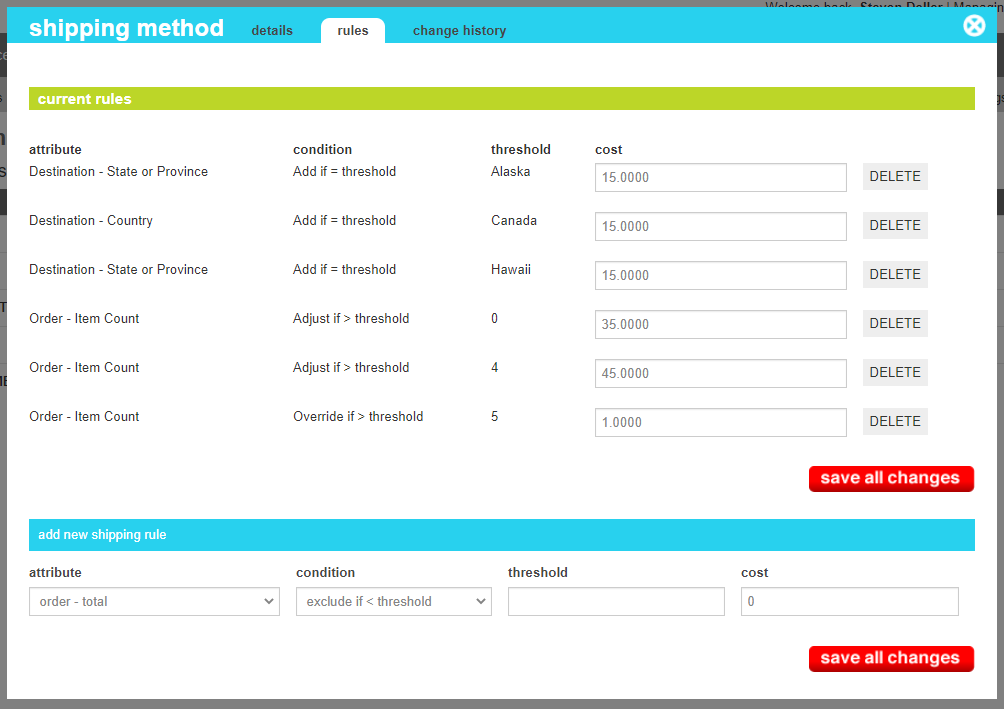
These attributes are as follows:
| Property | Description |
|---|---|
| Attribute | The product, destination or order value that should be examined when evaluating the rule. |
| Condition | An equality descriptor and type of adjustment that should be used to compare the order value with the threshold provided. |
| Threshold | The value that should be compared against the order attribute. |
| Cost | The value that should be applied to the base cost if the condition is true. |
The change history tab shows all of the changes that were made to this content item and by whom. It is useful for diagnosing unexpected changes to your content.