Navigation Items
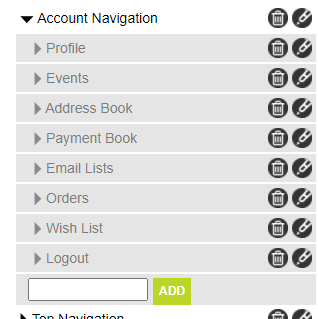
Navigation elements are used to create sections on the site that let your customers move between page groups with ease. Navigation blocks are typically created for placement in specific areas of your site, such as the header and footer of your site, or in content groups such as a customer service pages or "My Account".
Each Navigation Block can have any number of elements as well as contain sub navigation elements. This allows for a virtually infinite flexibility in breadth and depth of your navigation elements.
In addition, each link can be a simple "static" link that points to another url, a simple image, or a dynamic link that is tied to a content group such as a product category. Linked elements will hide and show based on the status of the element that they are linked to, which can significantly reduce the amount of maintenance you must do to your site when seasonal categories or promotions end. It also allows for the creation of flash-sale content that can appear and disappear for short periods of time.
Attributes
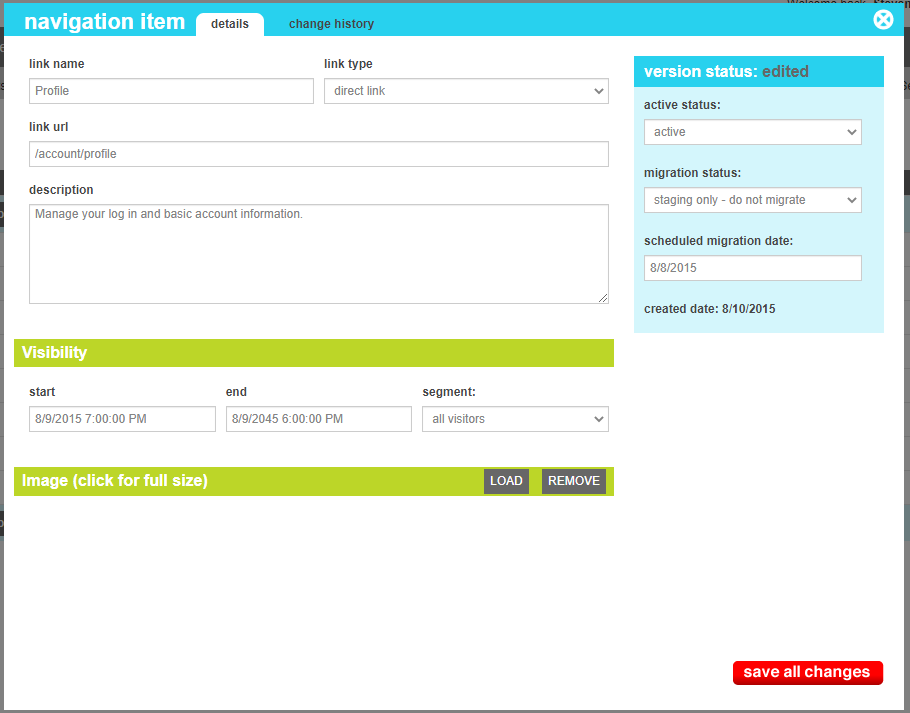
The navigation element contains all of the elements that needed to display a shared across the various size and color variations. These attributes are as follows:
| Property | Description |
|---|---|
| Link Name |
The type of link that will be created. This can be one of the following
|
| Link Url | The url for static links. For dynamic linkes, this will be generated automatically based on the underlying referenced content. |
| Decscription | Optional text description made available to the navigation block for the element. Could be alternate or tooltip text for an image or HTML |
| Visibility Start | The date and time that the item will first appear |
| Visibility End | The date and time that the item will shoudl disappear |
| Segment | The User segment that should see this element, if available (Default: all visitors) |
| Image | Optional image to be used in the display of the navigation element |