
Templates
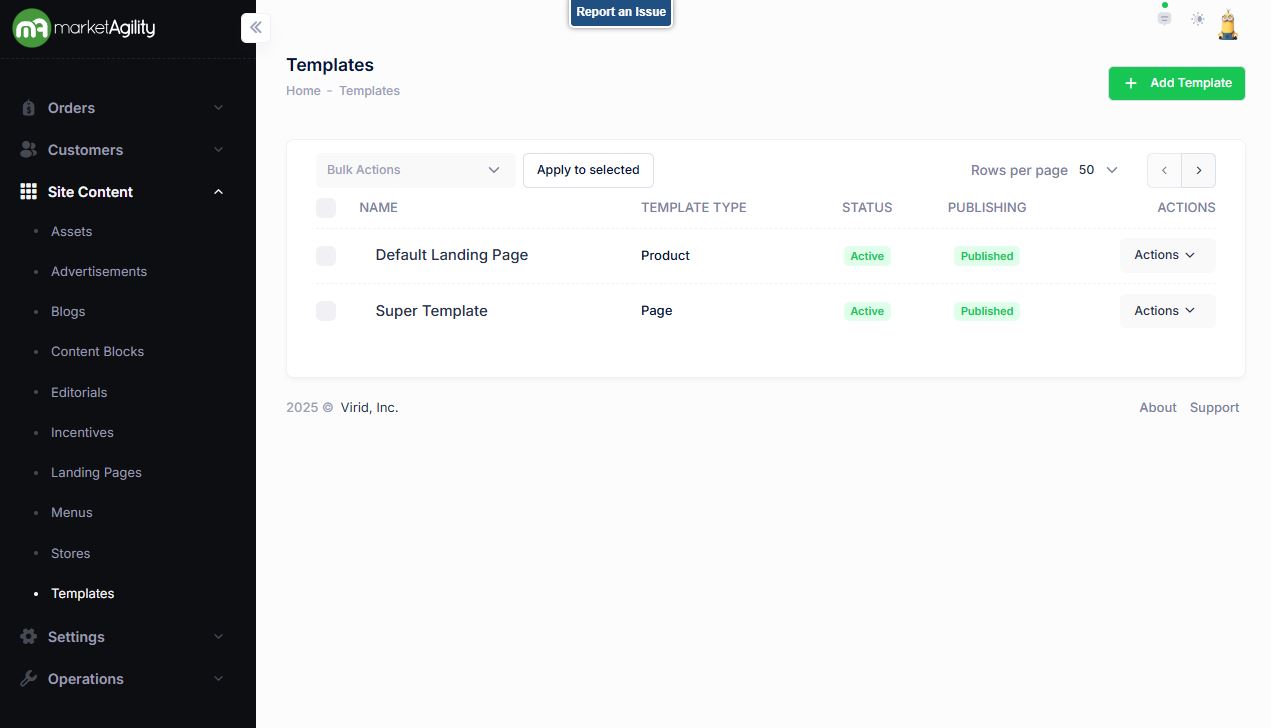
Templates are predefined layouts and structures used to display content consistently across different parts of your website, such as product pages, category pages, homepages, and checkout flows.
Attributes
| Property | Description |
|---|---|
| Name | A user-friendly name for the template |
| Template Type | Landing Page / Blog / Product Page / Listing Page |
| Status | Active / Inactive |
| Publishing | Draft / Published / Scheduled / Ready to Publish |
| Actions | Edit / Deactivate / Publish / Unpublish / Delete |
| Bulk Actions |
Activate / Deactivate / Publish / Unpublish. Use this function under the Search bar to apply bulk actions across one or many editorials. |
Adding a Template
To create a new Template, click the Add Template button in the top right corner.
Details / Change Log
Attributes
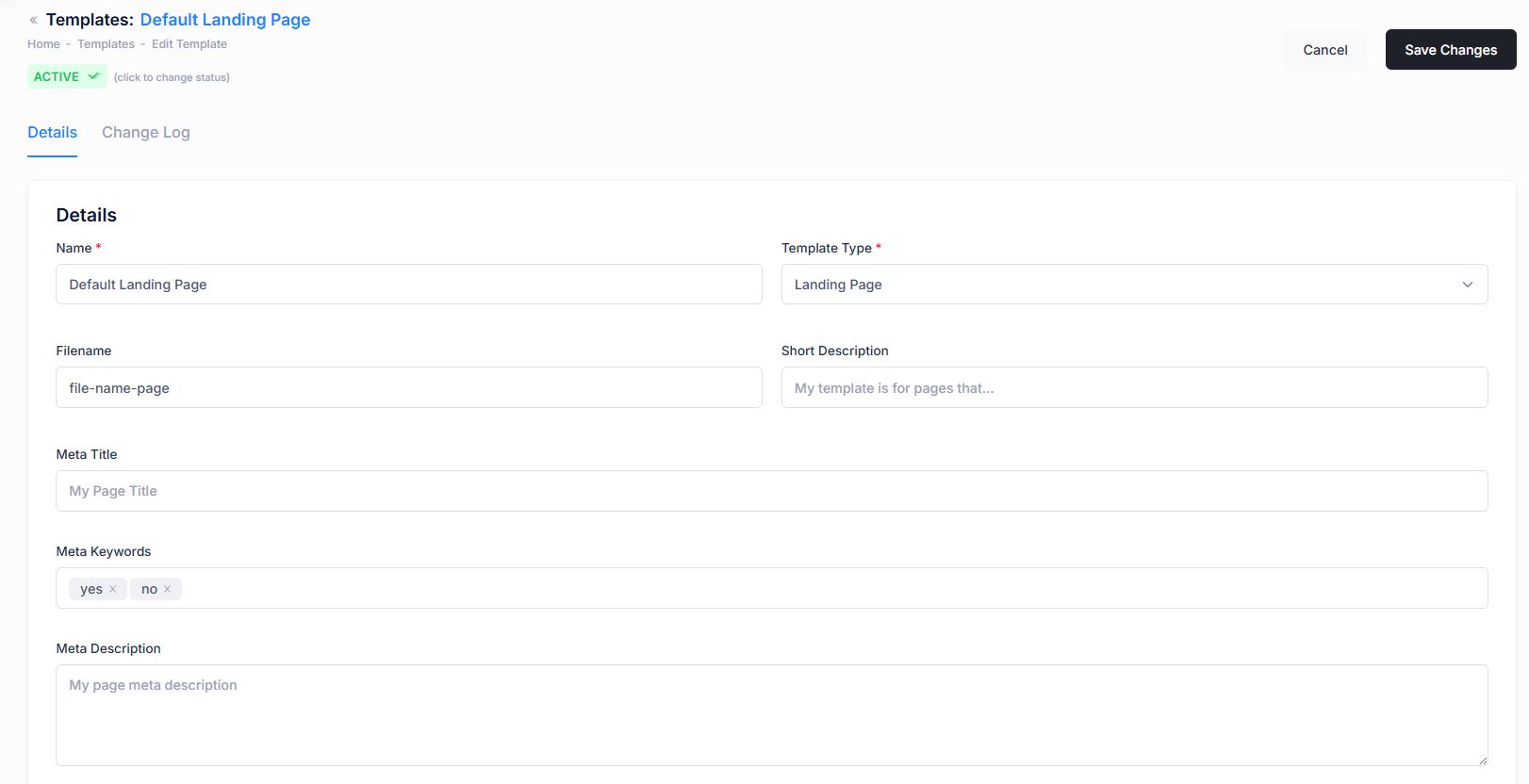
| Property | Description |
|---|---|
| Name | A user-friendly name for the template |
| Template Type | Landing Page / Blog / Product Page / Listing Page |
| Filename |
This is the name of the file that contains the code (HTML, Liquid, JSX, etc.) defining the structure and layout of the template page.
|
| Short Description | A brief description of the template's function. |
| Meta Title |
The meta title for a template is the HTML title tag used to define the title of the webpage that appears in browser tabs and search engine results. It's crucial for both SEO (Search Engine Optimization) and user experience. Best Practices:
|
| Meta Keywords |
Meta keywords are an HTML meta tag used to list specific words or phrases that describe the template, with the goal of helping search engines understand what the page is about.
|
| Meta Description | A meta description is an HTML tag that provides a brief summary of the template's content. In an eCommerce template, it's typically used to describe a product, category, or landing page, and it appears beneath the title in search engine results. |
Editing a Template
To edit a current template, open the template and update any necessary data. Then click Save Changes.
Details / Change Log
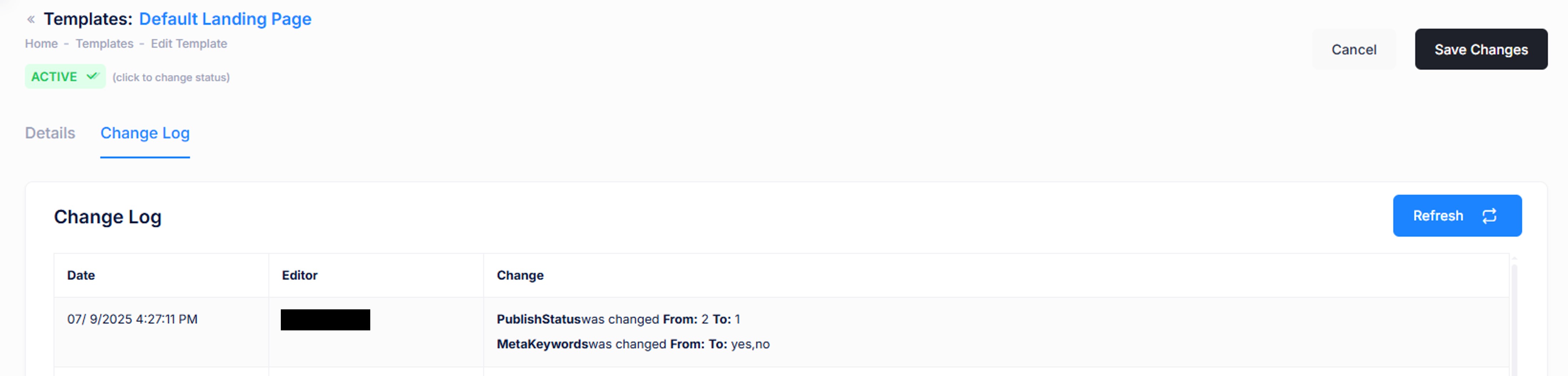
The change log tab shows all of the changes that were made to any template and by whom. It is useful for diagnosing unexpected results on your site.