
Orders
Introduction
The Orders tool allows a call center administrator to manage orders placed on the website or through the apis. Included in this information are order and item statuses, shipping and billing information and payment transaction history.
It also provides tools for revising shipping addresses, processing returns, resending transactional emails and issuing appeasement credits.
The Orders tool provides a centralized view of every order placed through your store, including details like:
- Order Number
- Customer information
- Order State
- Total
- Date Added
- Date Modified
- Actions
Searching
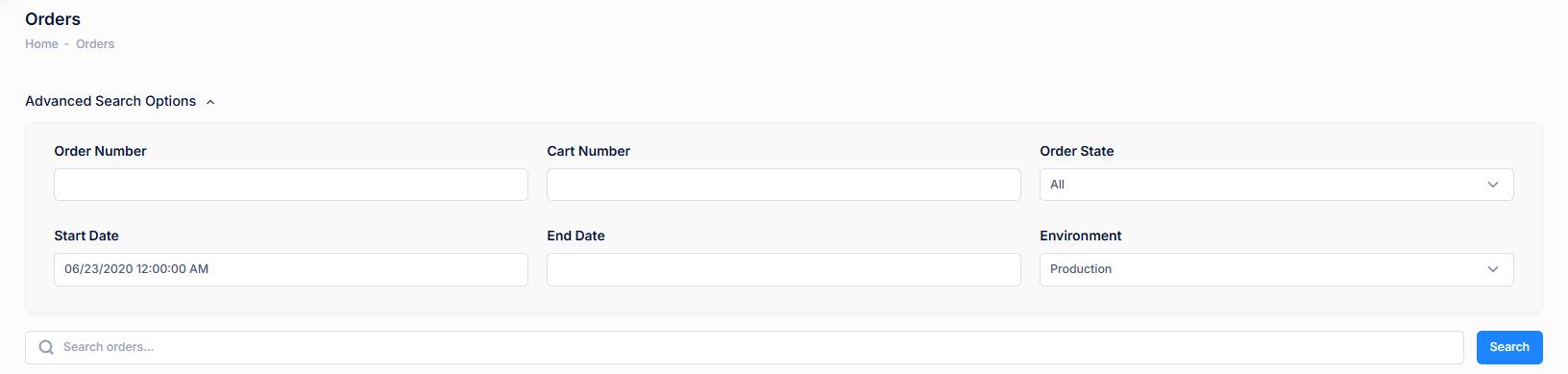
To find an order or orders that share a common attribute value, a search block has been provided.
Advanced Search - use the arrow dropdown to reveal additional advanced search fields.

| Property | Description |
|---|---|
| Order Number | The customer-friendly order number (unique value) given to each Order. |
| Cart Number | A Cart Number (or Cart ID) is a unique identifier assigned to a shopping cart. |
| Order State |
Order State refers to the current state or progress of an order as it moves through the order fulfillment process. Below are the states an Order will move through within mA7.
|
| Start Date | Reflects the Starting date range to search for orders placed. |
| End Date | Reflects the End date range to search for orders placed. |
| Environment | Production or Staging. |