
Assets
An asset is any image, video or supporting documents that aren't tied to a parent content element.
These often include images that a 3rd party has asked you to host on your website, employee application forms, spec sheets, or other miscellaneous digital assets you need to make available on your site.
Searching
To find an asset that shares a common attribute value, a search block has been provided. To create a new one, use the "Upload Asset" button above the search block.
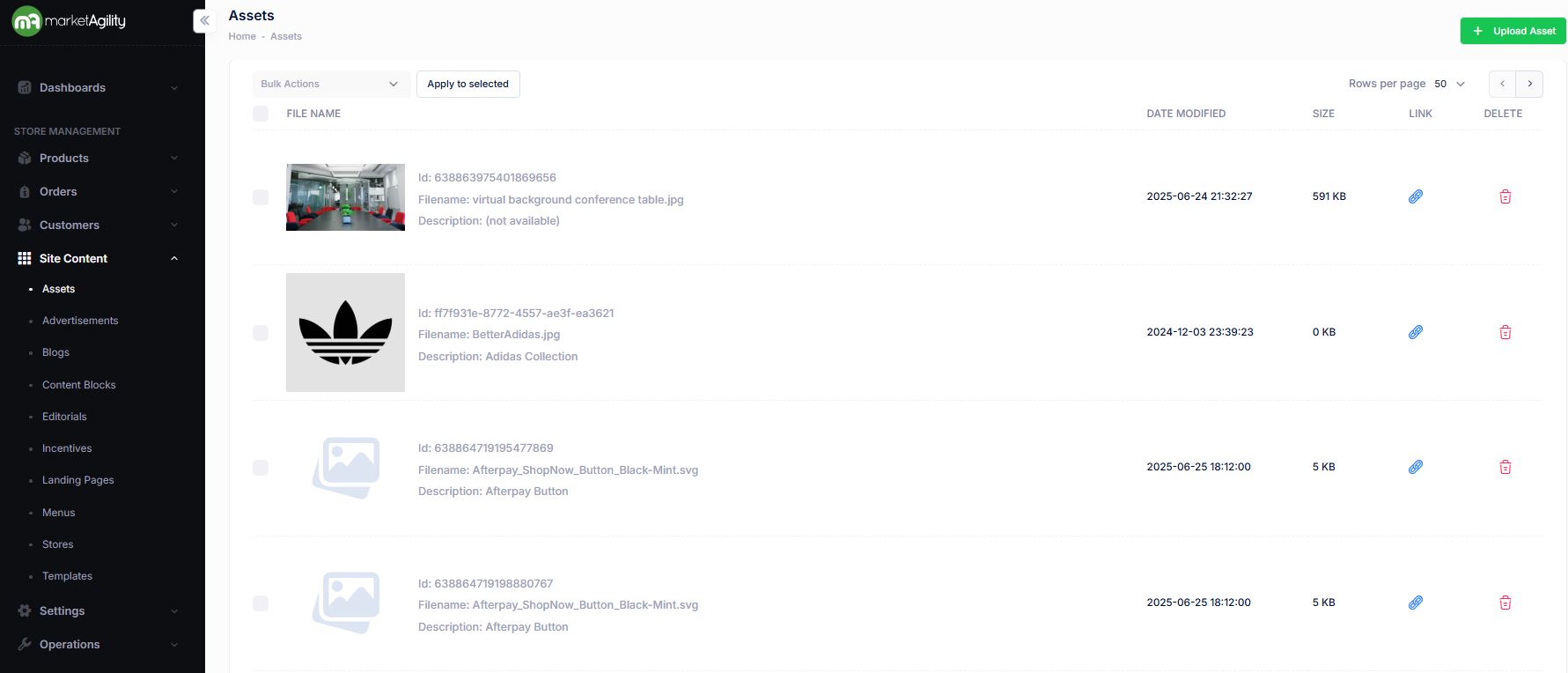
Assets Attributes
| Property | Description |
|---|---|
| File Name |
Id: Unique mA7 value used on the backend. Filename: Name of the asset Description: Asset description |
| Date Modified | A brief description of the asset. Frequently used as an alt tag for image assets. |
| Size | File size of asset |
| Link | Clicking the paperclip icon will copy the asset URL to the clipboard. |
| Delete | Clicking the trashcan icon will delete the asset. There is an additional screen to confirm the asset deletion. |
Uploading an Asset
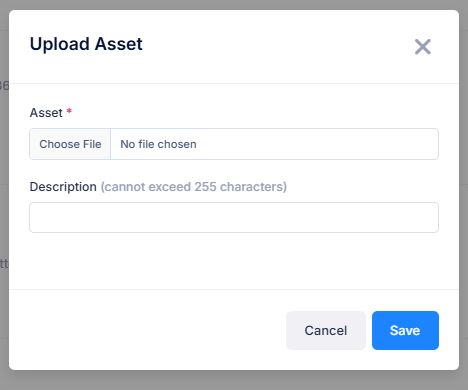
- To upload a new asset, click the Upload Asset button above the search criteria.
- Choose the file to upload
- Add a brief description of the asset. The description will be used as an alt tag for image assets.
- Click Save