
Stores
A store is a collection of information about a brick and mortar location, including addresses, features, images, store hours and directions.
Searching for a Store
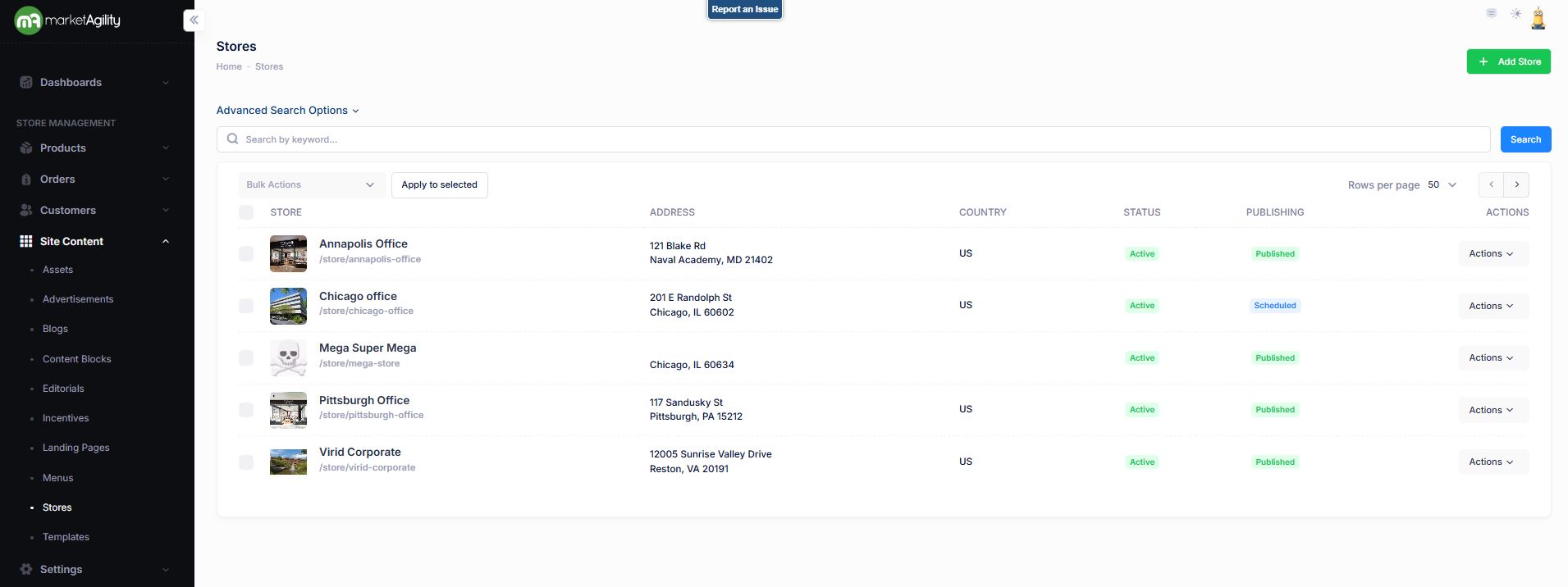
To find a store, a search block has been provided.
Attributes
| Property | Description |
|---|---|
| Store | A user-friendly name for the store. |
| Address | Address of the store |
| Country | Country Code of the store |
| Status | Active / Inactive |
| Publishing | Draft / Published / Scheduled / Ready to Publish |
| Actions | Edit / Deactivate / Publish / Unpublish / Delete |
| Bulk Actions |
Activate / Deactivate / Publish / Unpublish. Use this function under the Search bar to apply bulk actions across one or many editorials. |
Adding a Store
To create a new Store , click the Add Store button above the search criteria.
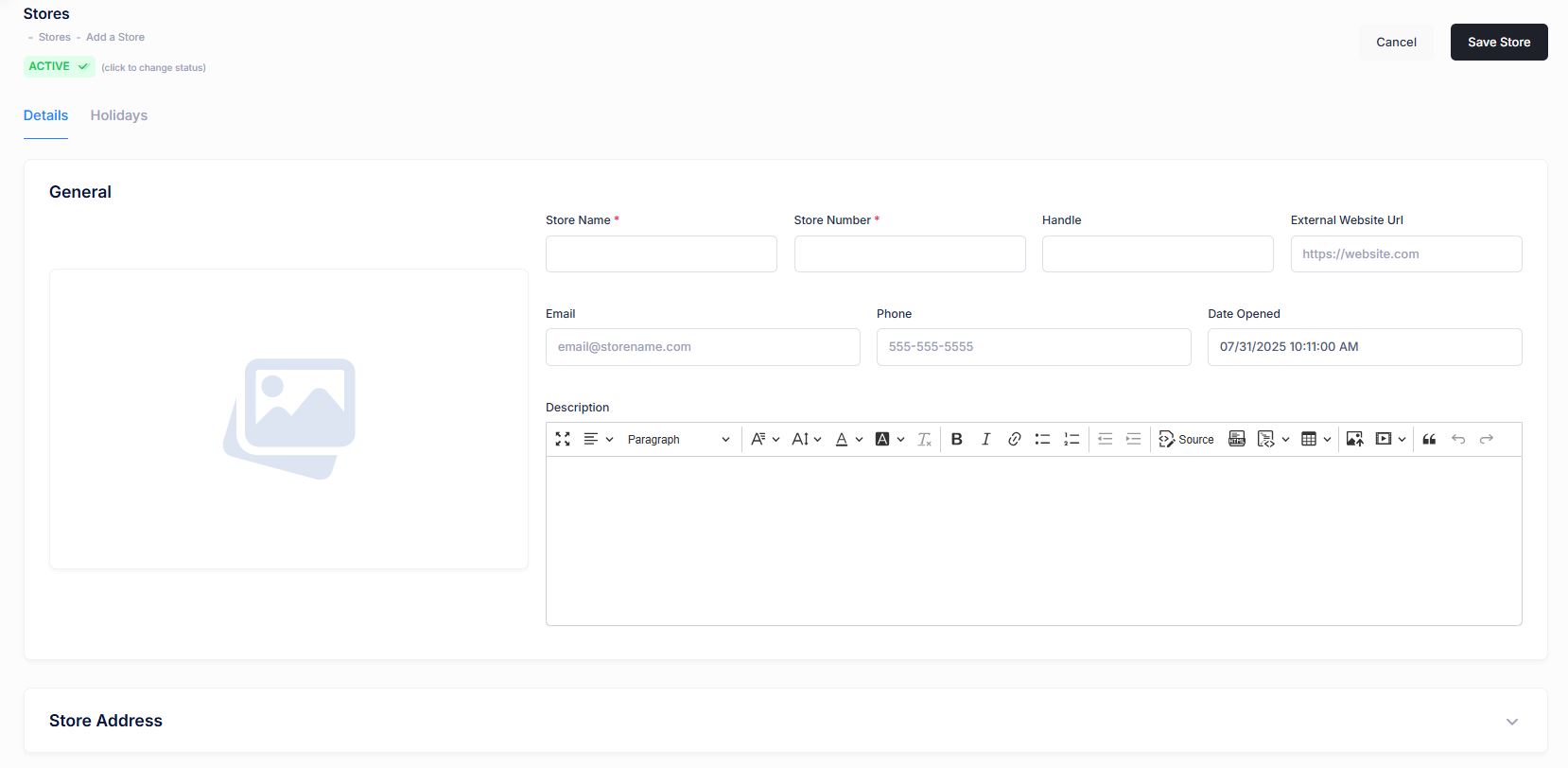
Details / Holidays / Media / Change Log
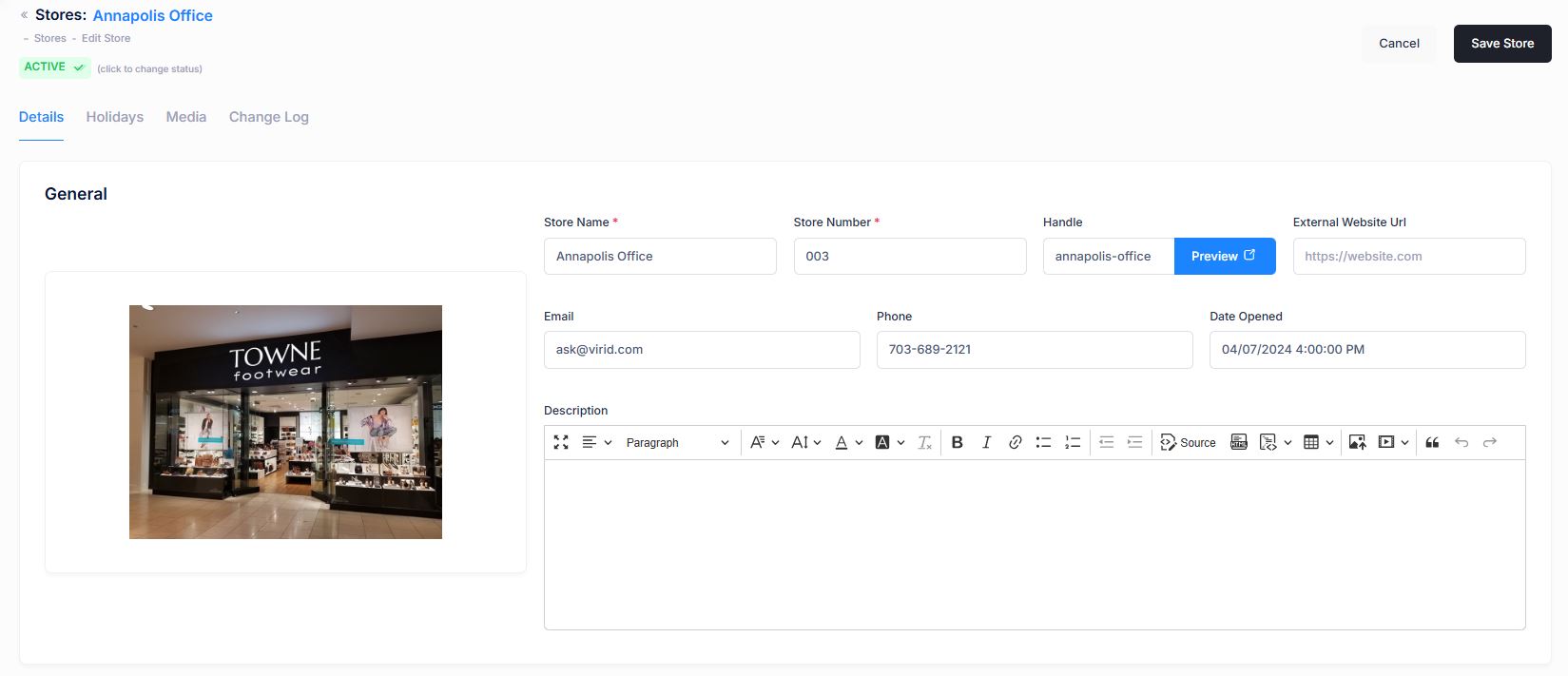
| Property | Description |
|---|---|
| Details / General | |
| Store Name | A user-friendly name for the store. |
| Store Number | Number for the store |
| Handle | A unique url identifier for the store. If one is not provided, the system will create one based on the name. |
| External Website URL | An external URL if the store has its own website. |
| Publishing | Draft / Published / Scheduled / Ready to Publish |
| An email address for the store. | |
| Phone | The Phone Number(s) of the store |
| Date Opened | The date the store opened or will open. |
| Description | A long text description of the store and its features. |
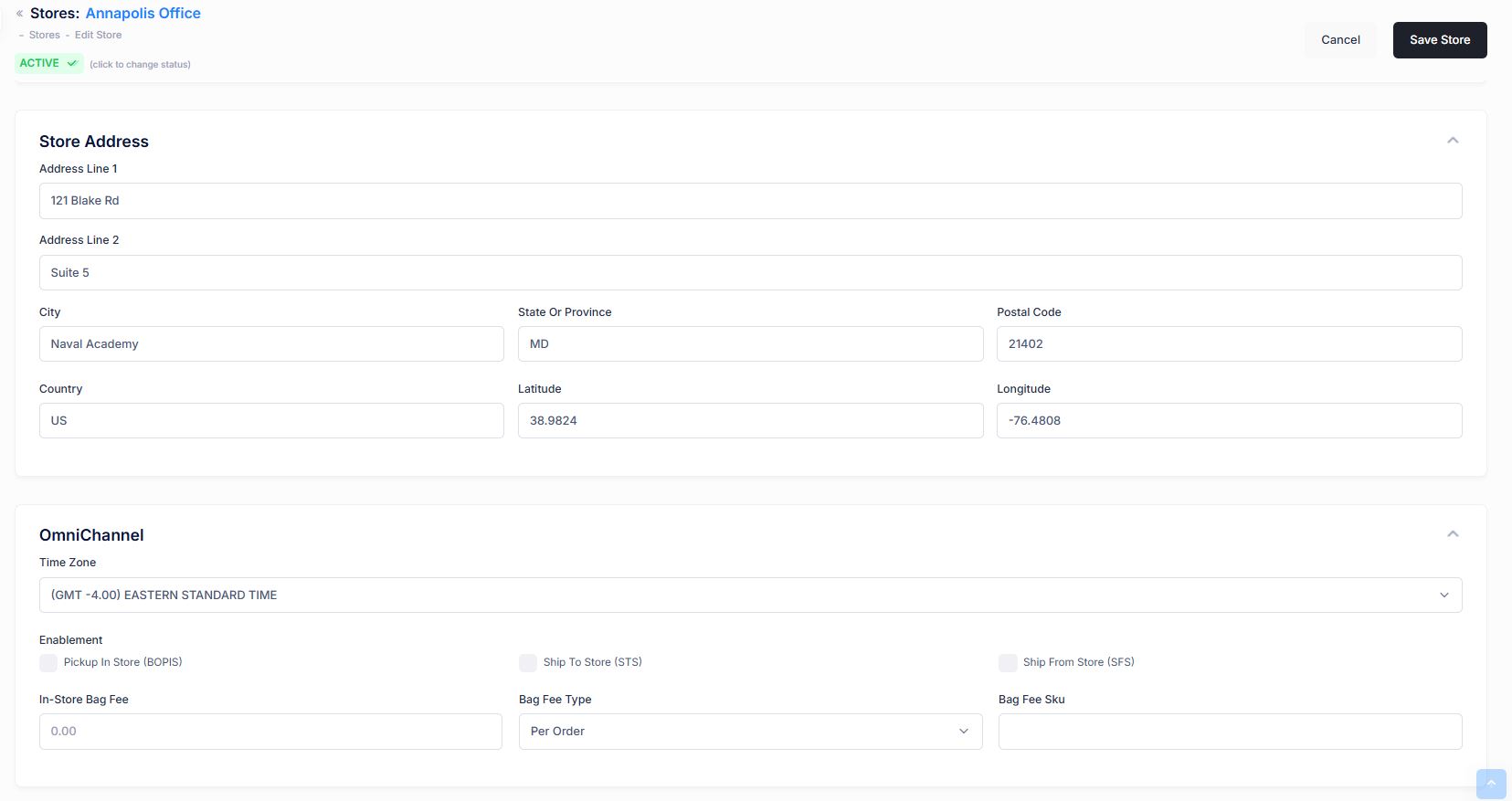
| Property | Description |
|---|---|
| Details / Store address | |
| Address Line 1 | Address Line 1 of the Store |
| Address Line 2 | Address Line 2 of the Store |
| City | City store is located |
| State or Province | State or Province of the store. |
| Postal Code | Postal Code of the store |
| Country | Country code for the store |
| Latitude | The latitude coordinate for the store. This is used by proximity searches. If not provided, the system will try to calculate it based on the postal code from any zip code tables that have been loaded into your storefront. |
| Longitude | The longitude coordinate for the store. This is used by proximity searches. If not provided, the system will try to calculate it based on the postal code from any zip code tables that have been loaded into your storefront. |
| Details / OmniChannel - This section defines features for omnichannel fulfillment. | |
| Time Zone | The Time Zone of the store. Used primarily in pickup guarantees so that customers do not attempt to pick up items from a store that has already closed or will close before they arrive. |
| Enablement | This defines which omnichannel features are enabled for the store, such as Pickup In Store (BOPIS), Ship to Store (STS), or Ship From store (SFS). Checking the boxes will trigger the store inventory load to populate this store's inventory from any feeds. |
| In Store Bag Fee | Many states require that a merchant charge a bag fee on pickup-in store transactions. If the state requires it, you may enter the fee amount here. |
| Bag Fee Type | This field indicates whether the bag fee should be assessed Per Order or Per Item. |
| Bag Fee Sku | In order to assess a bag fee, you must create a Sku to act as the bag fee line item. Once the Sku is created in the products section, enter the sku identifier here |
| Property | Description |
|---|---|
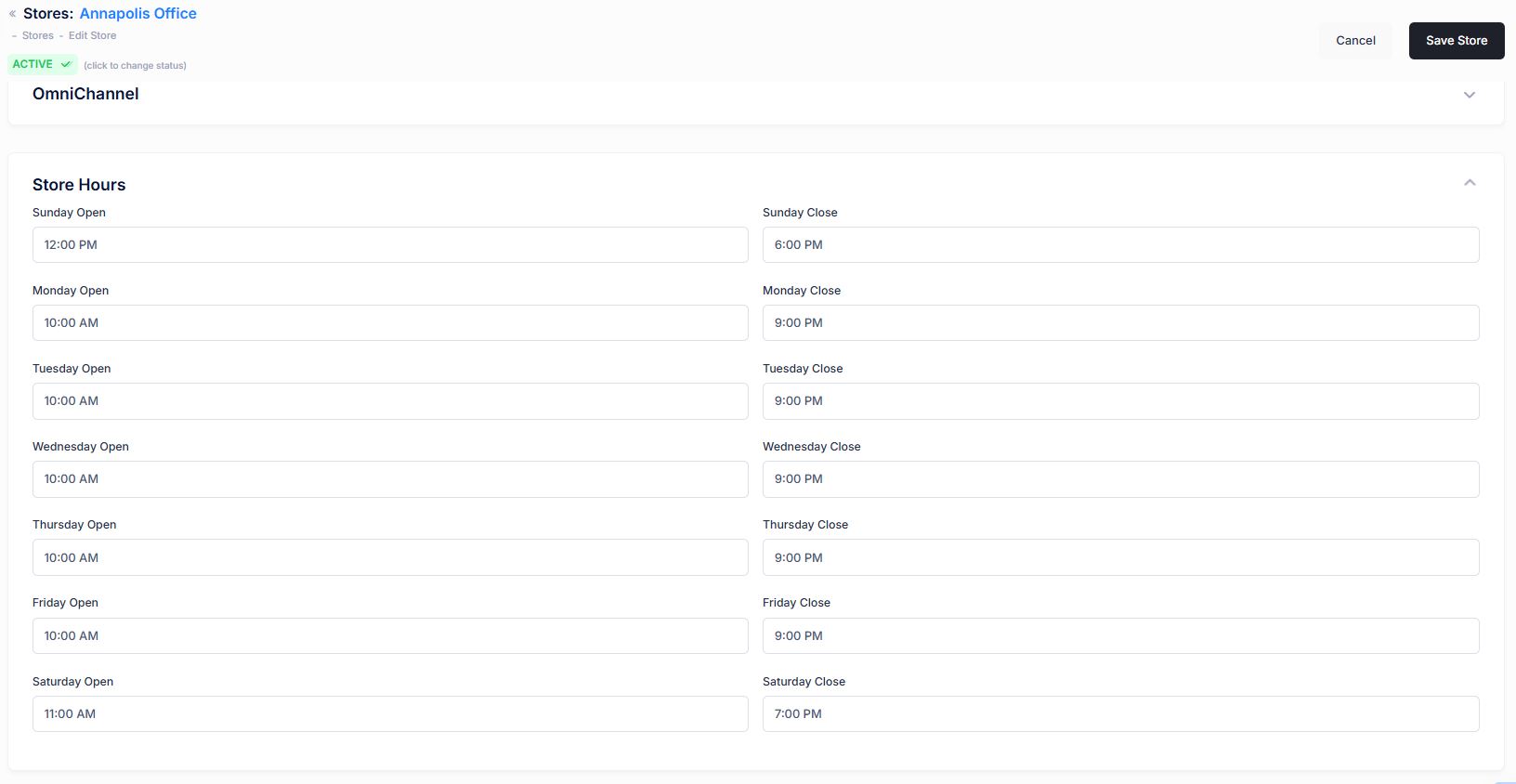
| Details / Store Hours | |
| Day of week Open / Day of week Close |
This section allows you to specify the distinct open and close times for each day of the week. This is particularly useful in crafting schema.org entities in your template for search browsers to be able to ingest your hours of operation |
Note
00:00 AM is not a valid time and will result in the hour being deleted by the system. If your store opens at exactly midnight, enter 00:00:01 AM (1 second past midnight). This will be rounded to the nearest minute for display.
Details / Holidays / Media / Change Log
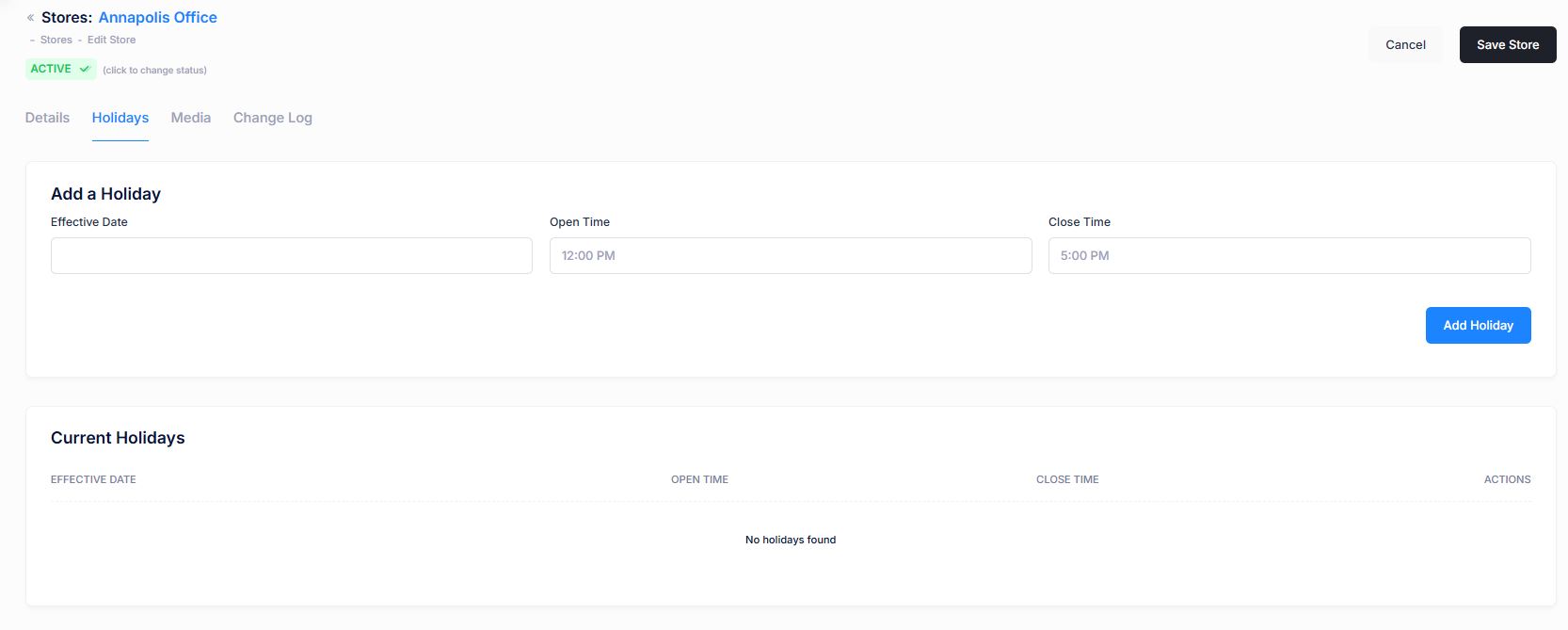
Holiday hours that are current or in the future will appear on your store detail page. Once the date has passed, the special hour will not be visible on the consumer site, but will still be visible in this tool for historical purposes.
| Property | Description |
|---|---|
| Holidays / Add a Holiday | |
| Effective Date | Date of the Holiday |
| Open Time | Time AM/PM that store will open |
| Close Time | Time AM/PM that store will close |
| Holidays / Current Holidays | |
| Effective Date | After Holiday has been added that Holiday will be reflected in this section. This effective date is set from the Add a Holiday function |
| Open Time | Time AM/PM that store will open |
| Close Time | Time AM/PM that store will close |
| Actions | You will have the ability to delete a Holiday once it's created. |
Editing Store Holiday Hours
Currently to edit the Store Holiday hours - you must create a new Holiday. Once the new Holiday is created, delete the old one.
Details / Holidays / Media / Change Log
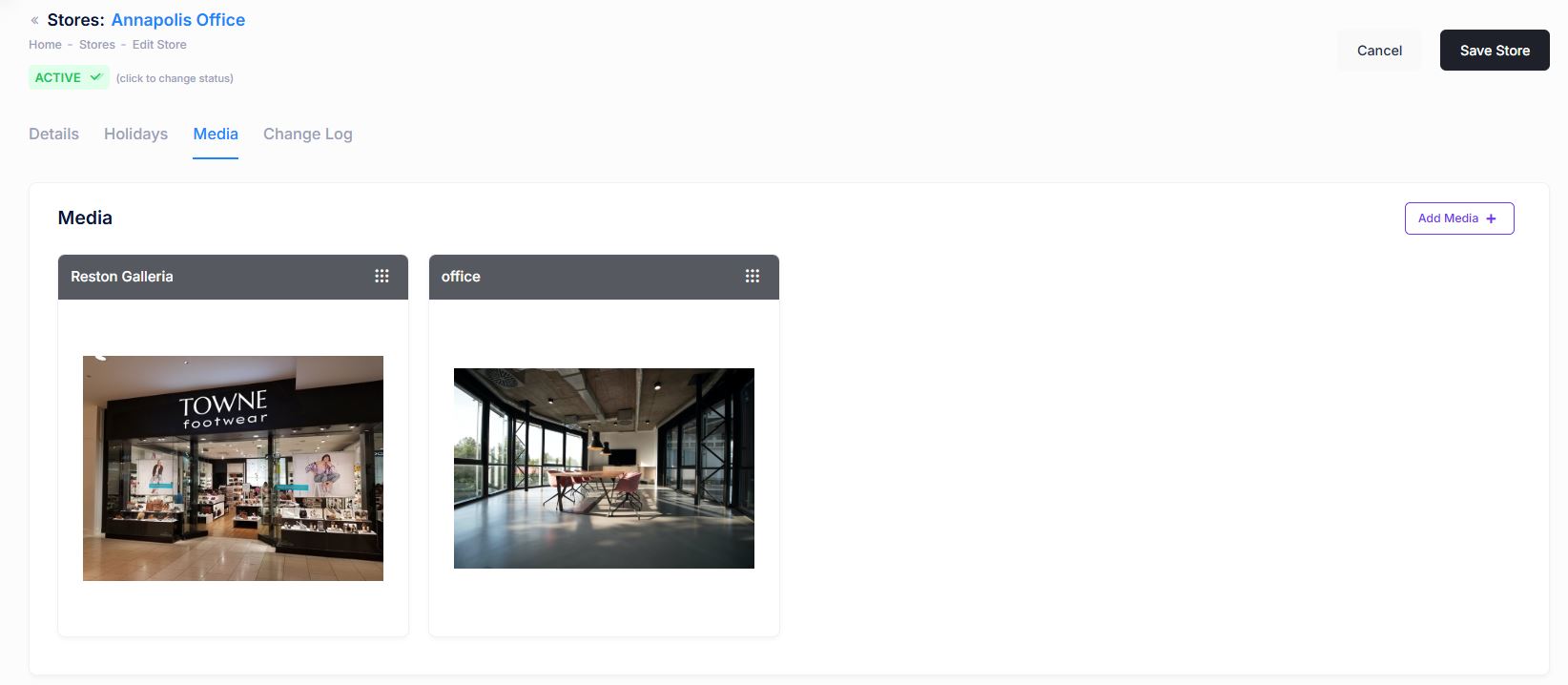
Media includes any images or assets of the store. Assets are encapsulated into named "views", and can be displayed with the store throughout your site pages. Media views can be sorted by dragging the view into the desired order using the grabber icon. The first image in the sorted list will always be the default view shown on listing, search and detail pages.

Details / Holidays / Media / Change Log
The change log tab shows all of the changes that were made to any Store content and by whom. It is useful for diagnosing unexpected results on your site.