Content Blocks
A block is a reusable section of HTML that can be placed in various sections of your site. It can be a simple static block of script or text that is self contained, or it can be dynamically generated by using content from a group and formatted using the mustache/handlebars templating language.
Once a block has been created, it can be placed in editorials, or landing pages by using the <block name="BlockUniqueKey" />
Dynamic blocks adhere to the rule of the content they render. If a block is tied to a particular category and the underlying category is deactivated or the items contained within are removed or deactivated, they will automatically disappear from the block. If you want to continue to show the block, but alter its display, you can use the mustache/handlebars rules to craft different displays based on the presence or absence of dynamic content.
Searching for a Content Block
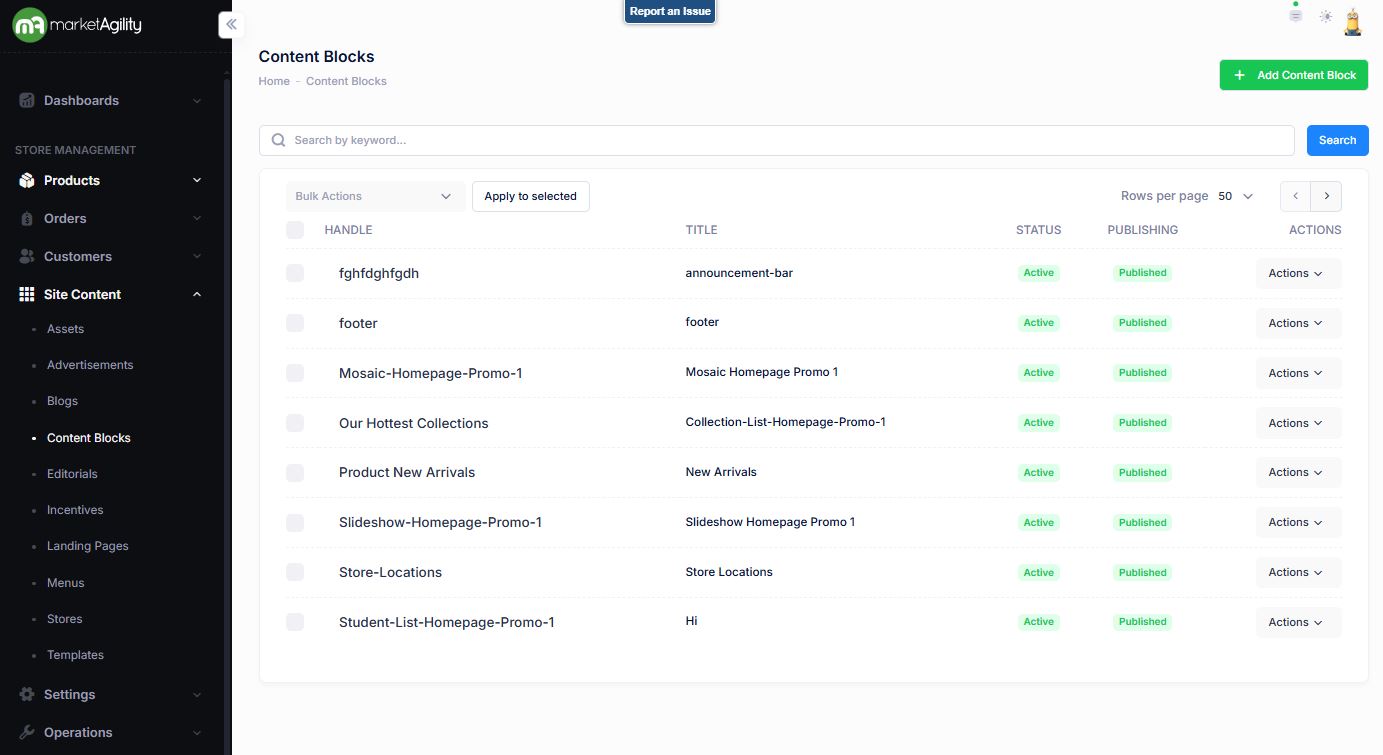
To find a content block, a search block has been provided.
Attributes
The content block contains all of the elements that are required to identify and render the content. These attributes are as follows:
| Property | Description |
|---|---|
| Handle |
This is the ending part of the URL that your customers will use to find your Block. A Handle will serve as the product URL and must be unique. |
| Title | A unique identifier for the piece of content. This is used in the site to reference the blog post. |
| Status | Active or Inactive |
| Publishing | Draft, Published, Ready to Publish |
| Bulk Actions | Edit / Activate / Publish / Delete |
Adding a Content Block
To create a new Content Block, click the Add Content Block button above the search criteria.
Details / Change Log
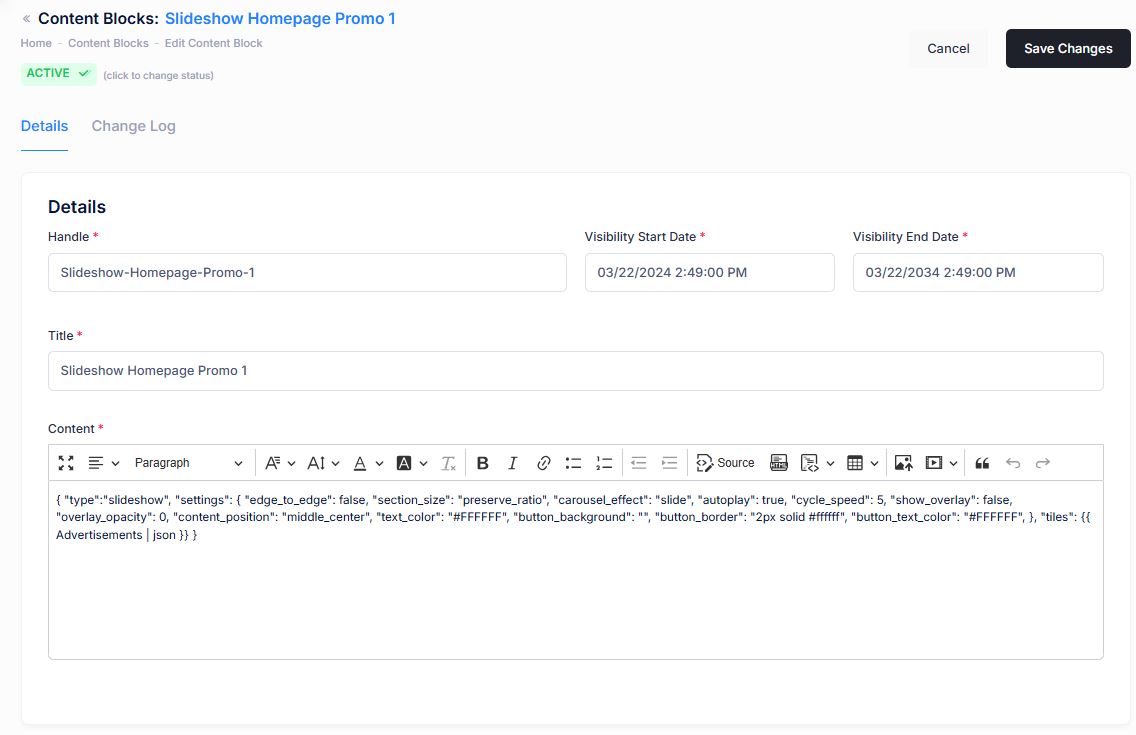
| Property | Description |
|---|---|
| Handle |
This is the ending part of the URL that your customers will use to find your Block. A Handle will serve as the product URL and must be unique. |
| Visibility Start Date | Date and time that the content block will first appear |
| Visibility End Date | Date and time that the content block will be hidden. |
| Title | A unique identifier for the piece of content. This is used in the site to reference the content block. |
| Status | Active or Inactive |
| Content |
The content box is a WYSIWYG box (What You See Is What You Get). The box is a rich text editor that allows content creators to format and style blog content without writing code. |
Details / Change Log
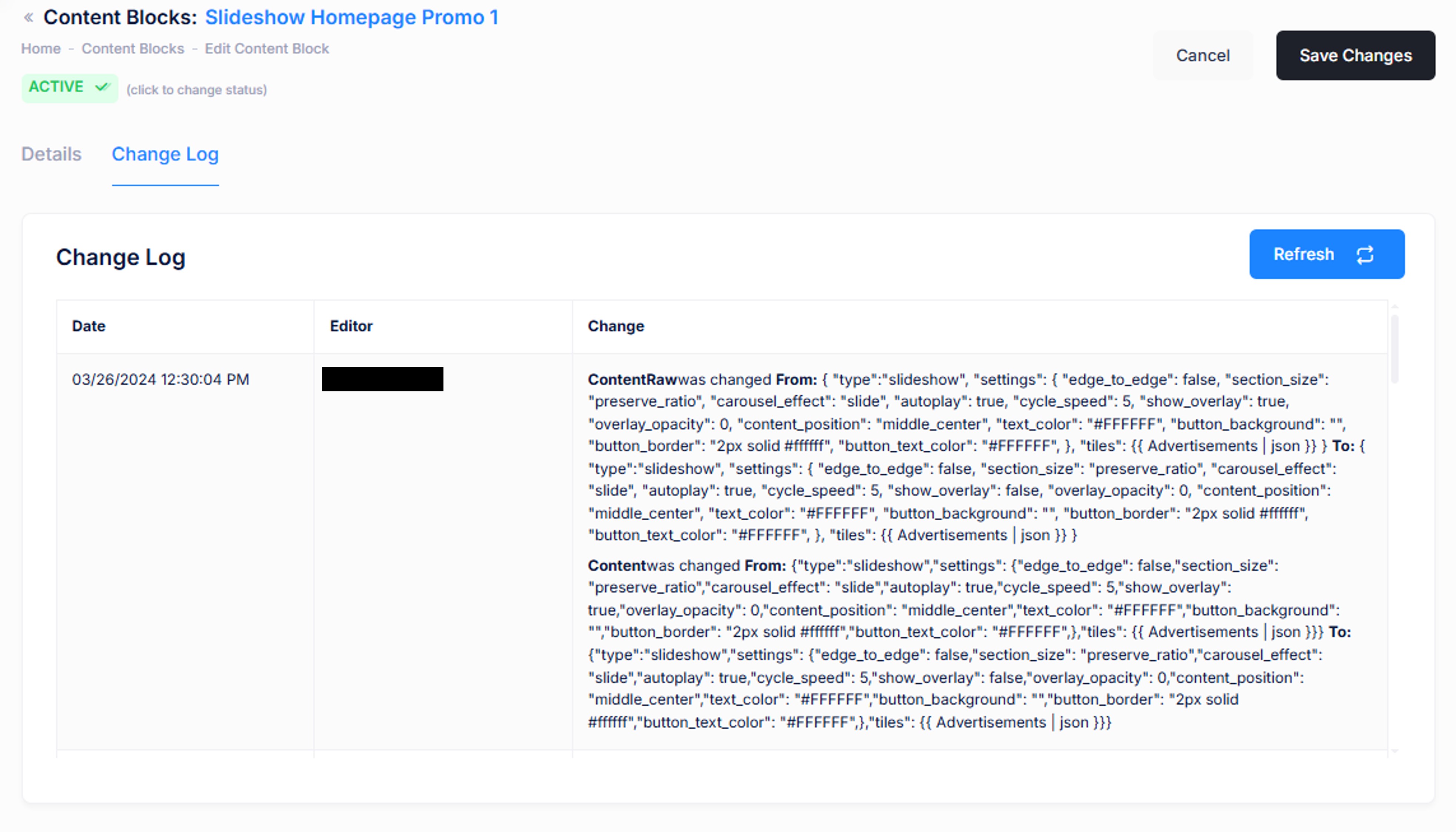
The change log tab shows all of the changes that were made to this content and by whom. It is useful for diagnosing unexpected results on your site.