
Roles & Permissions
The Roles & Permissions section allows you to create and manage groups of admin tool permissions under a single name, making it easy to assign consistent access levels to multiple users. Each user can be assigned to only one role, but a single role can be shared across multiple users.
Searching for Roles
You can search for existing roles using the search block. To create a new role, click the “Add Role” button above the search bar.
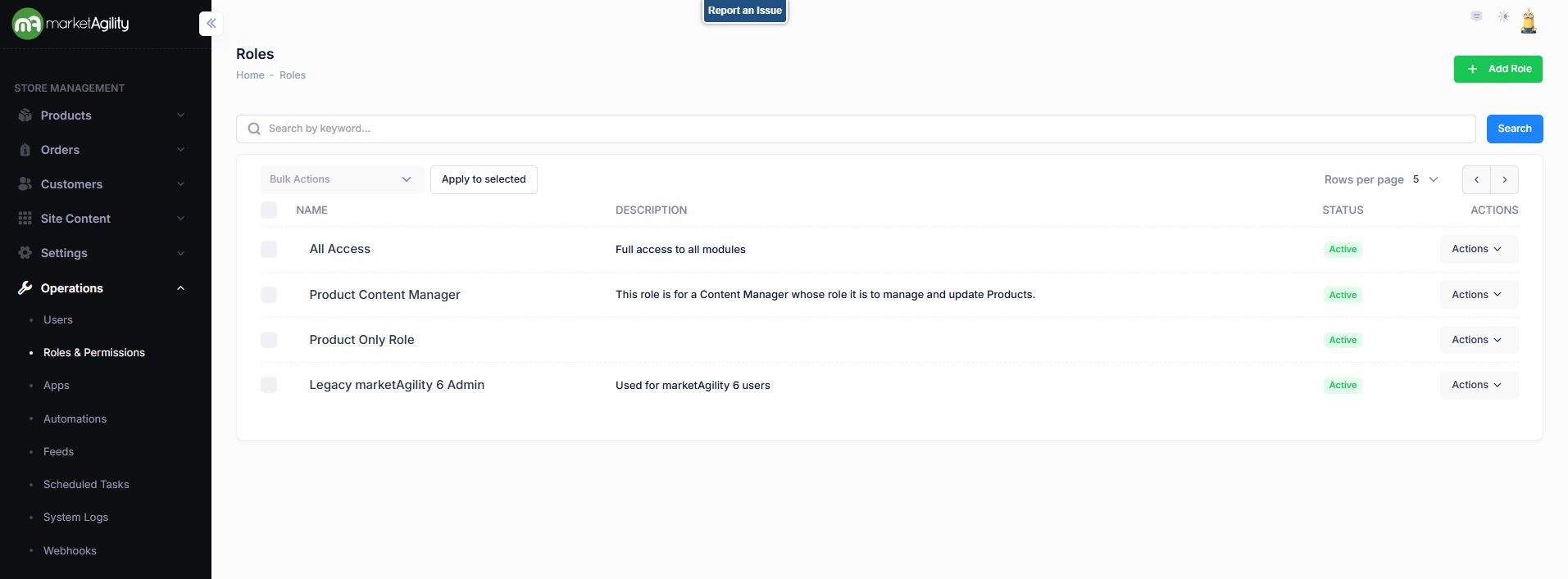
Attributes
| Property | Description |
|---|---|
| Name | The name that appears in user profiles |
| Description | A brief explanation of the role's purpose or access level |
| Active Status | Indicates whether the role is currently active or inactive |
Details / Change Log
The Details screen lets you define and manage the specific access permissions associated with a role. Each permission in the marketAgility Admin suite is listed as a checkbox:
- Checked = The role has access to the tool
- Unchecked = The role does not have access
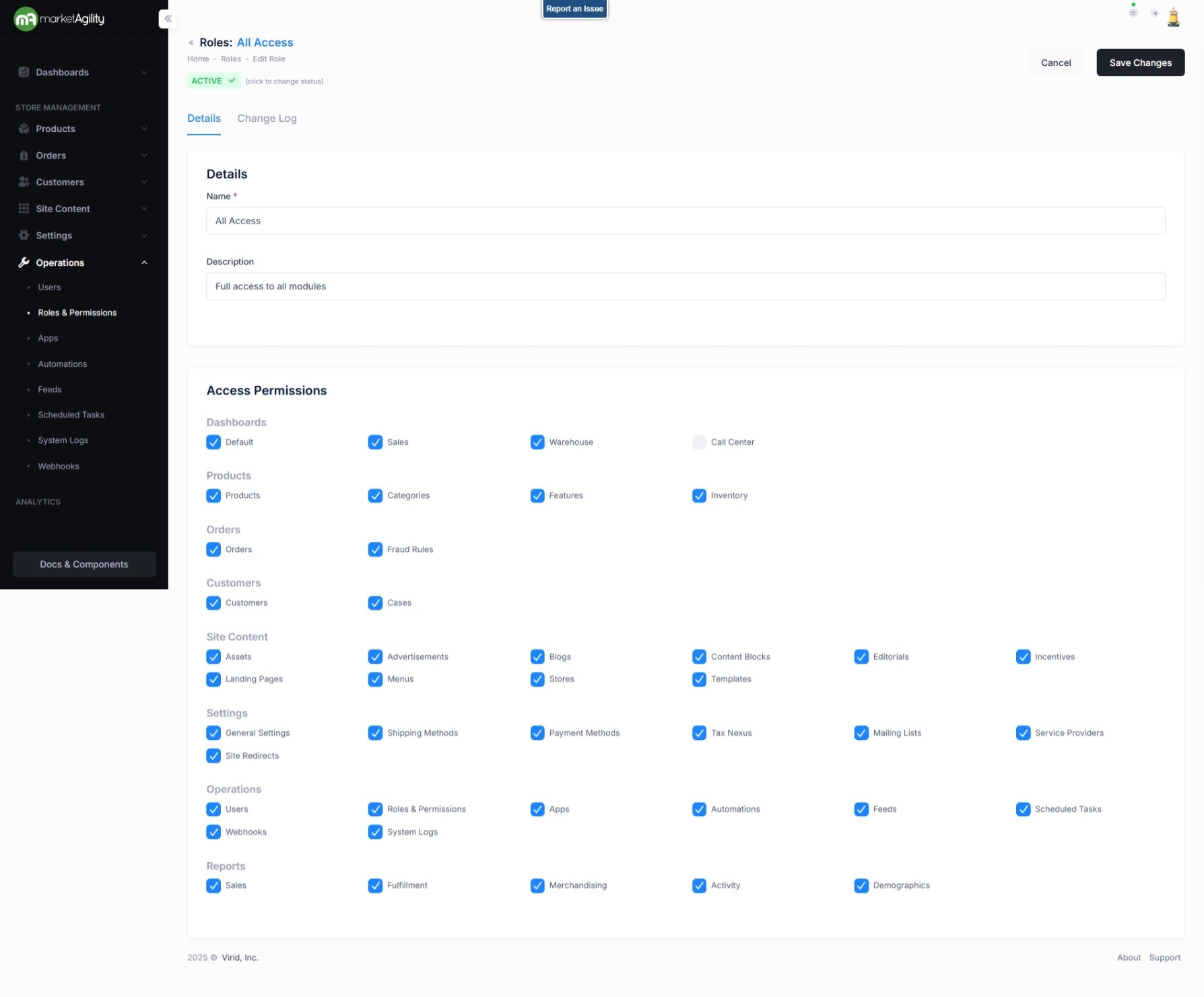
Attributes
| Property | Description |
|---|---|
| Name | The name that appears in user profiles |
| Description | A brief explanation of the role's purpose or access level |
| Access Permissions |
A list of tools the role can access (indicated by checkboxes) laid out by each mA7 section.
Work with your Client Manager if you have any questions on what each permission box means. |
| Active Status | Indicates whether the role is currently active or inactive |
Note
If a user is not granted access to a specific role section permission, a lock will be displayed on the navigation to show those sections the user cannot access. (See screenshot below with the red lock icon)

In the example provided, the User does not have access to the CallCenter/CRM.
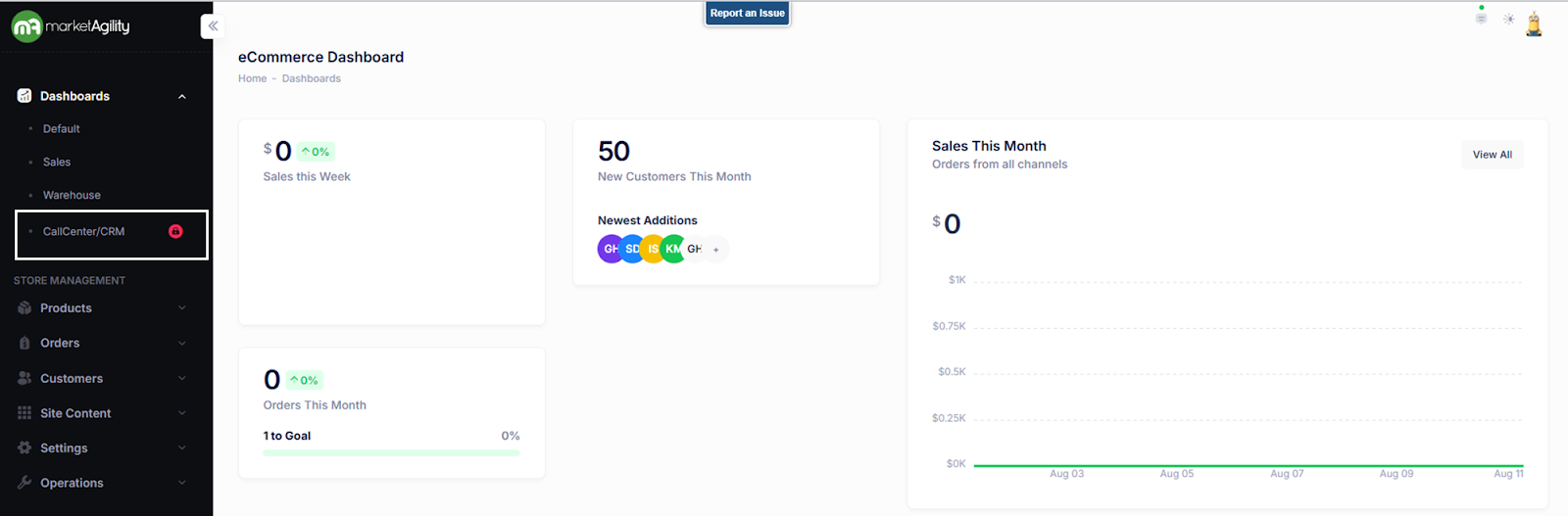
When moused over it will reiterate that permissions do not allow access to this section. When clicked it will send them to a page encouraging them to ask an admin for access.
Details / Change Log
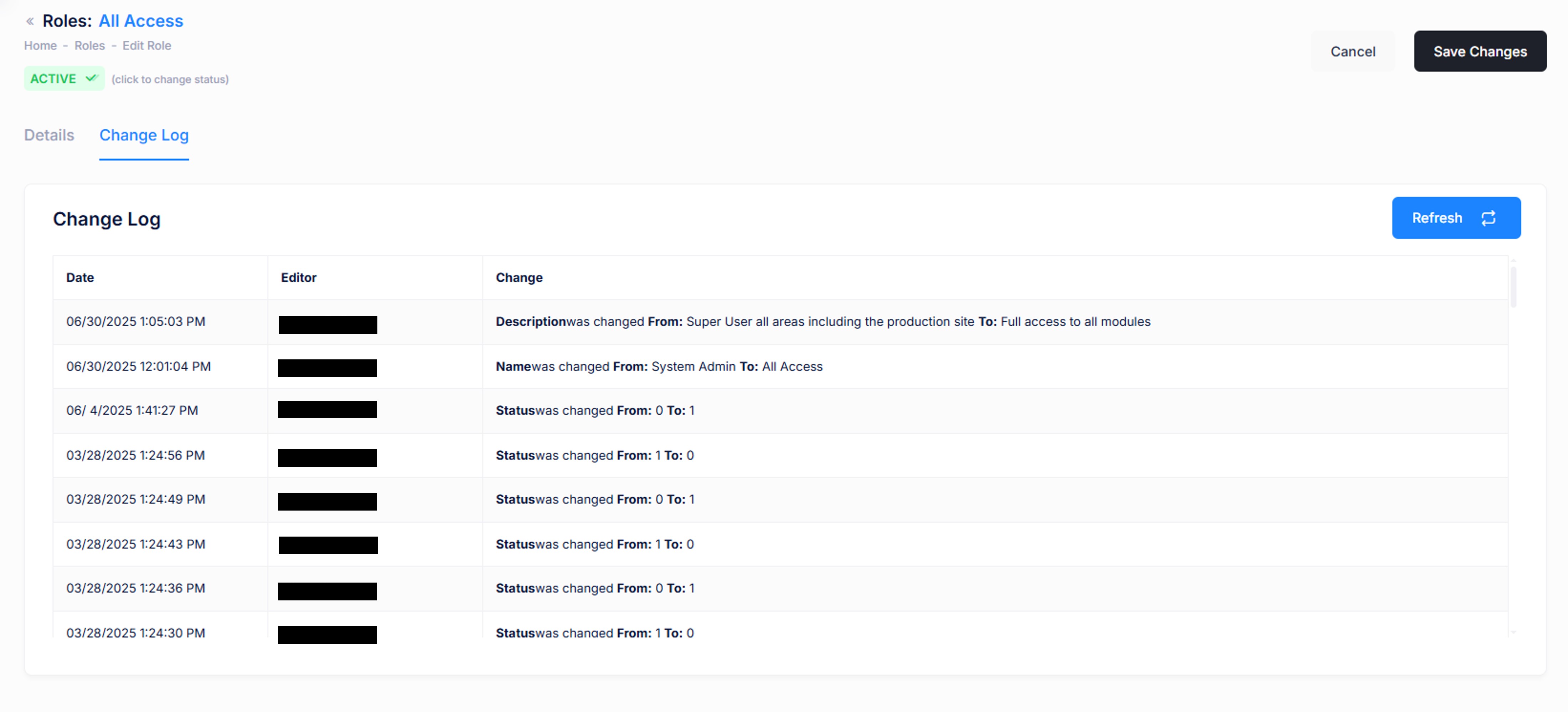
The Change Log tab records all modifications made to the role and identifies who made each change. This is helpful for auditing and investigating permission issues.