
Administrators
The Administrators section enables current site administrators to create new admin accounts and manage permissions for existing ones. An administrative account is required to access any tools within the marketAgility Admin application. To grant access to specific tools, you must first create an administrative account and assign the appropriate permissions.
Searching for Administrators
You can search for administrators using keywords through the search block or click 'Administrator' to create a new user.
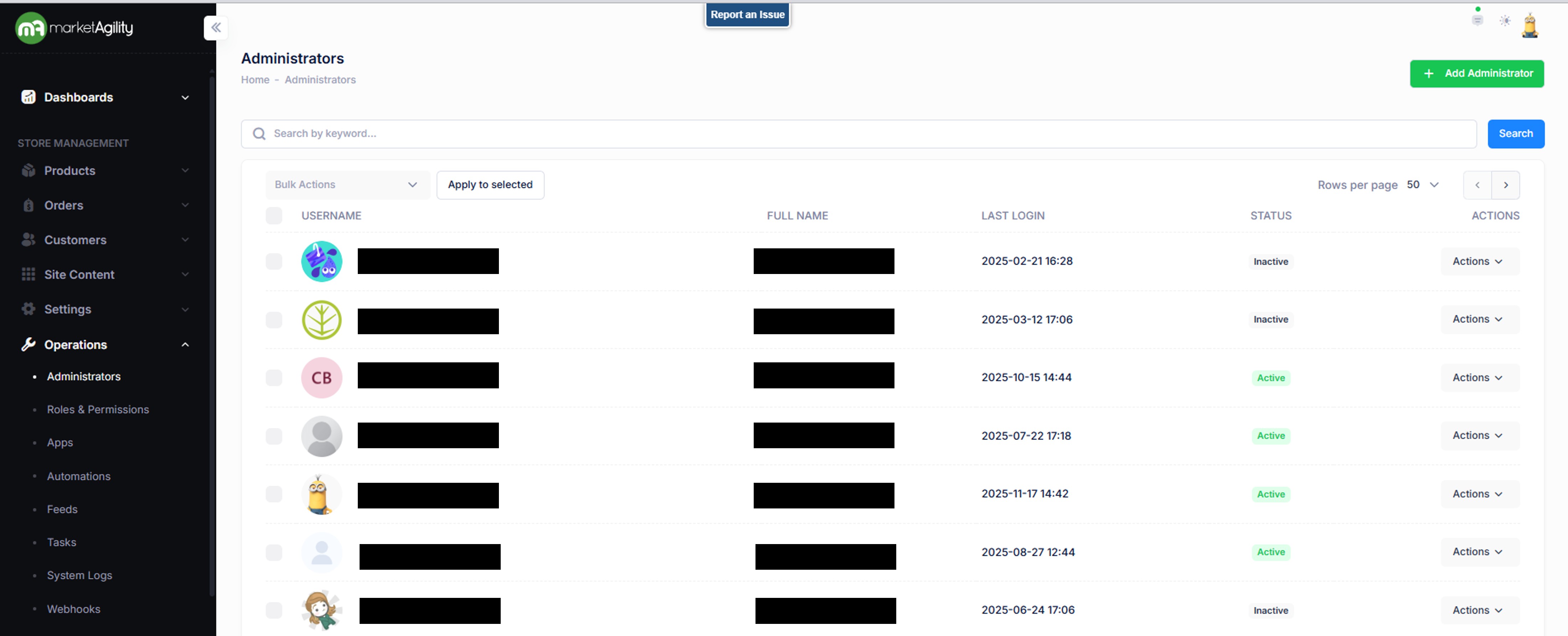
Attributes
| Property | Description |
|---|---|
| Username | The username used to log in |
| Full Name | The administrator's First and Last Name |
| Last Login | Date and Time of last login |
| Status | Indicates whether the user is currently active or inactive |
| Actions | Activate / Deactivate / Edit / Delete |
| Bulk Actions |
Activate / Deactivate Use this function under the Search bar to apply bulk actions across one or many records. |
Details / Change Log
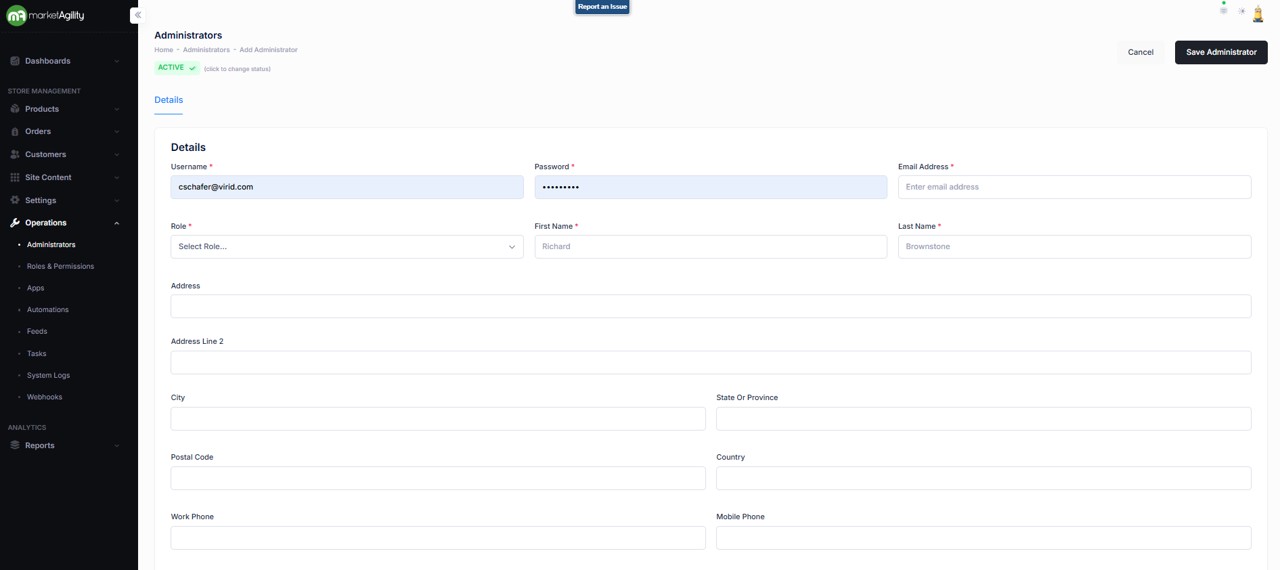
The Details screen allows you to manage an admin user's profile, including login credentials, role-based access, contact information, and API permissions.
Attributes
| Property | Description |
|---|---|
| Username | The username used to log in |
| Password | The user's password (must be updated every 90 days) |
| Email Address | The user's email address |
| Role | The user's access level (values in the dropdown), as defined in the Roles section |
| First Name | The user's first name |
| Last Name | The user's last name |
| Address | Street address (Lines 1) |
| Address Line 2 | Street address (Lines 2) |
| City | City of the user's address |
| State or Province | State or province of the user's address |
| Postal Code | ZIP or postal code of the user's address |
| Country | Country of the user's address |
| Work Phone | User's work phone number |
| Mobile Phone | User's mobile phone number |
| Active Status | Indicates if the account is active or Inactive |
Details / Change Log
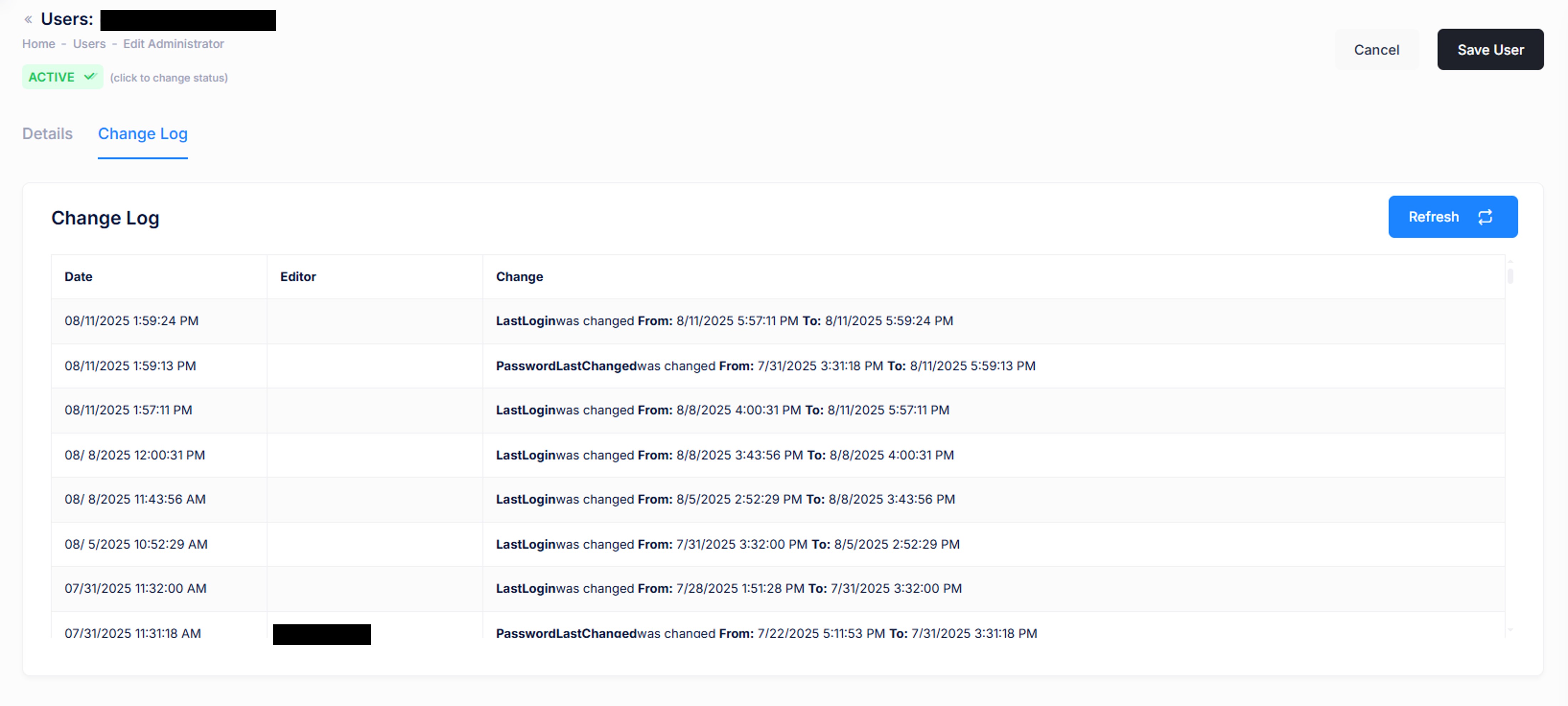
The Change History tab logs all changes made to the user account, along with who made them. This is helpful for auditing and troubleshooting unexpected account modifications.