
Apps
Apps are software tools or integrations that extend the functionality of the marketAgility platform, enhancing the customer experience, backend processes, or marketing efforts.
Apps can serve a variety of purposes, from providing payment gateways to optimizing product recommendations. Here's how apps are generally used in eCommerce:
Searching for Apps
You can search for an existing app using the search block. To create a new App Registration, click the 'Add App' button above the search bar.
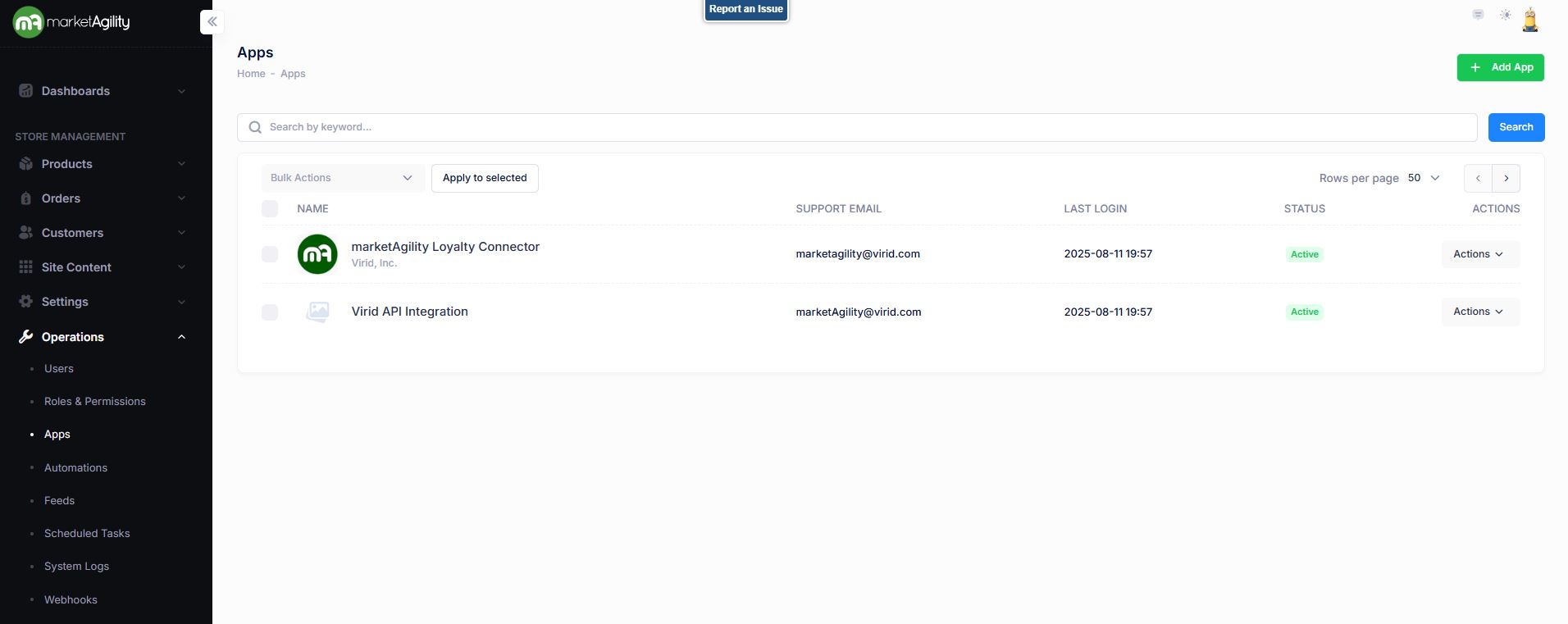
Attributes
| Property | Description |
|---|---|
| Name | The App name |
| Support Email | Email address to be used to communicate APP details. |
| Last Login | Date and Time of last login |
| Status | Indicates whether the app is currently active or inactive |
| Actions | Edit / Deactivate / Delete |
| Bulk Actions |
Activate / Deactivate Use this function under the Search bar to apply bulk actions across one or many records. |
Details
The Details screen lets you define and manage the specific application details the site will use.
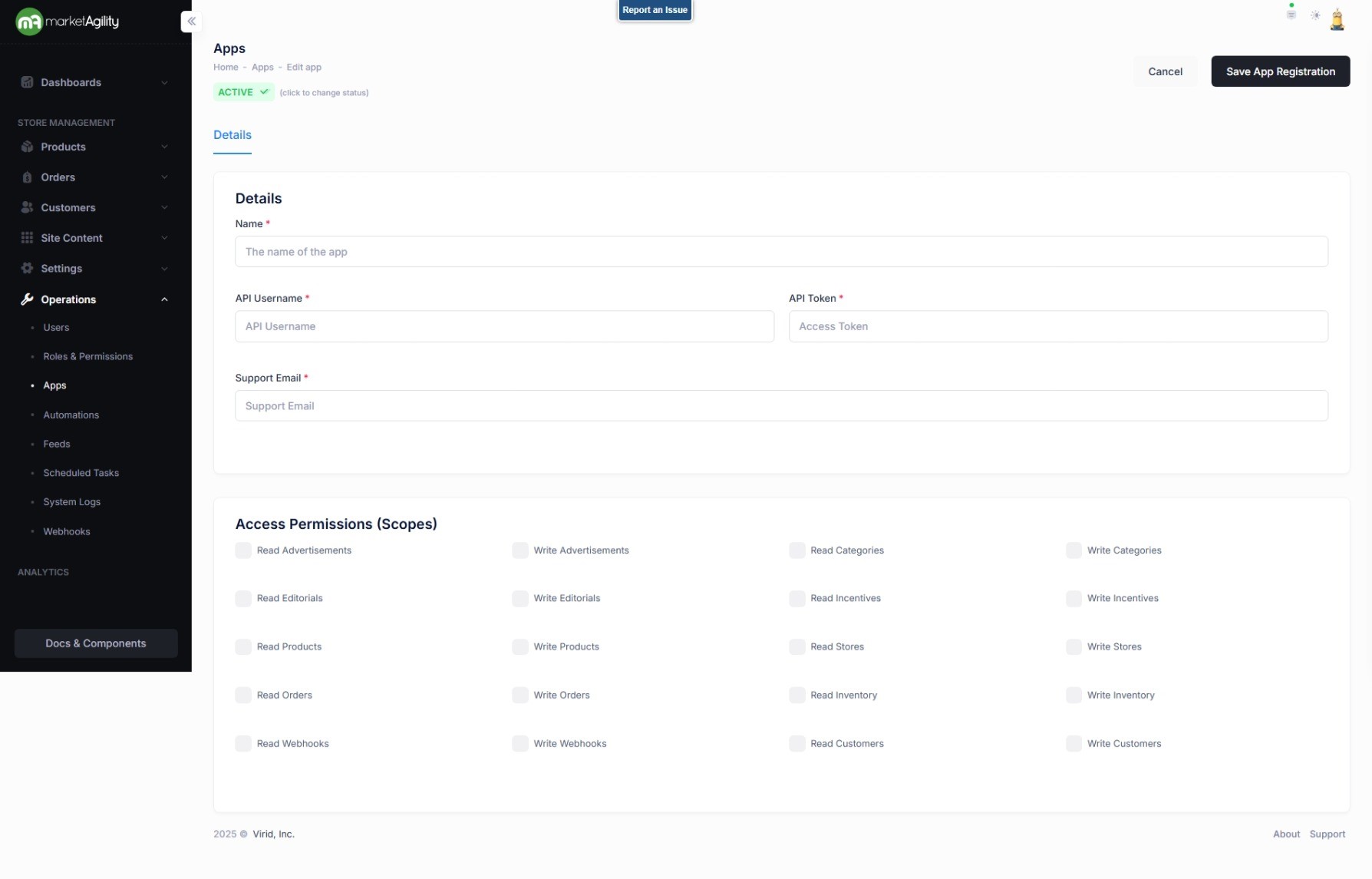
Attributes
| Property | Description |
|---|---|
| Name* | The App name |
| API Username* | An API Username is a unique identifier used in the authentication process of API interactions. |
| API Token* | An API token is used to authenticate the identity of the user or application making an API request. |
| Support Email* | Email address to be used to communicate APP details. |
| Access Permissions (Scopes) | A list of permissions the APP can access. (indicated by checkboxes) |
| Active Status | Indicates whether the role is currently active or inactive. |