Tax Nexus
The Tax Nexus tool allows administrators to manage tax configurations using the marketAgility plugin. If a third-party tax provider is used, this tool can override its tax rules for specific states, provinces, or countries.
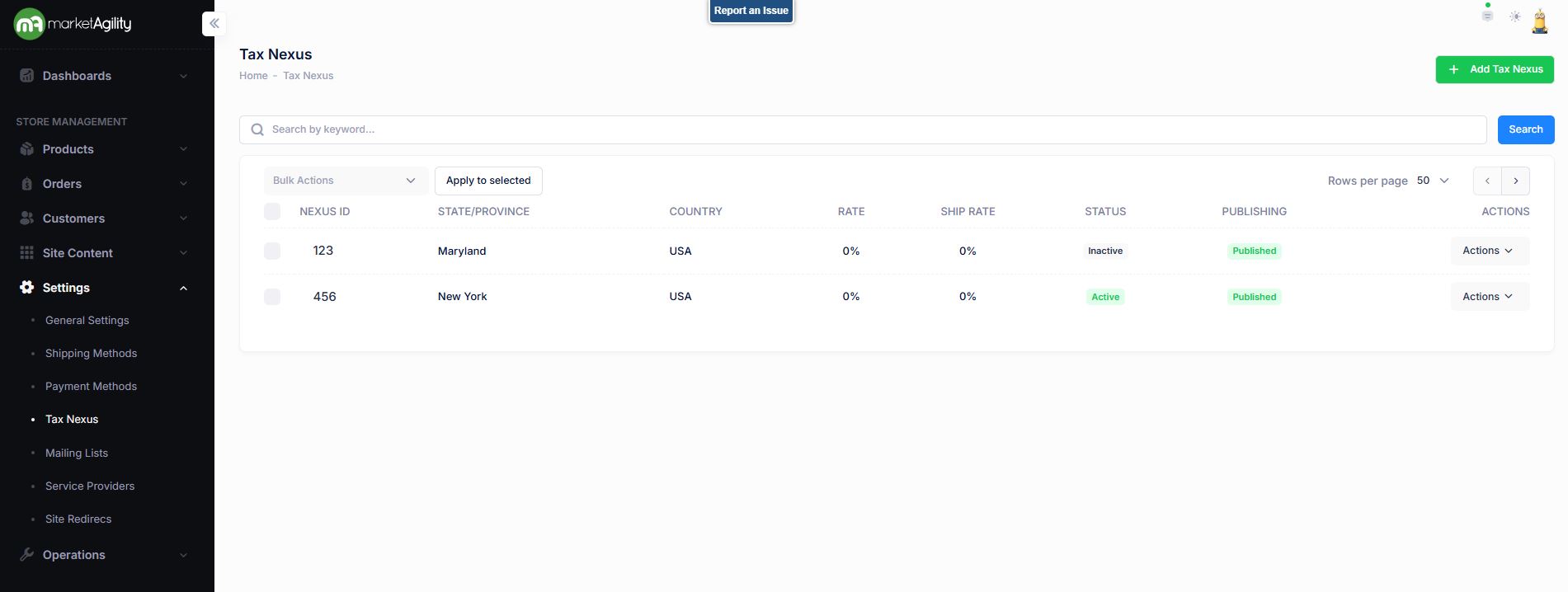
Searching for a Tax Nexus
Use the search block to find an existing nexus record or click “Add Tax Nexus” to create one.
Attributes
| Property | Description |
|---|---|
| Nexus ID | Full or partial name of the tax nexus. |
| State/Province Code | ISO code of the state or province. |
| Country | ISO country code. |
| Rate | Percentage applied to product totals. |
| Ship Rate | Percentage applied to shipping charges. |
| Status | Active or Inactive |
| Publishing | Draft / Published / Scheduled / Ready to Publish |
| Actions |
Activate / Deactivate / Publish / Unpublish. Use this function under the Search bar to apply bulk actions across one or many records. |
Details / Change Log
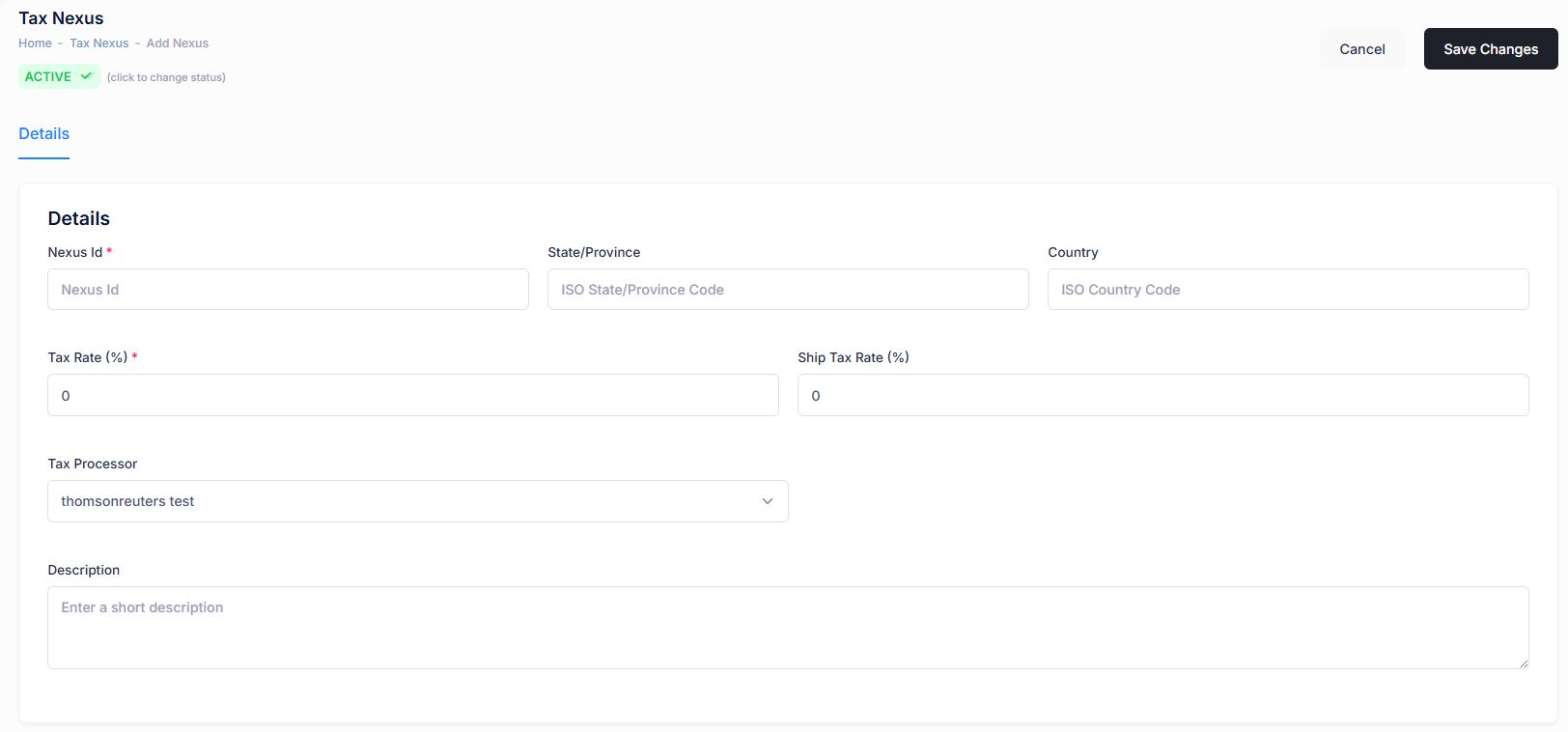
Each Nexus defines a specific tax zone with its own tax rules. These are the editable settings:
| Property | Description |
|---|---|
| Nexus ID | Unique name/code for the tax region. |
| State/Province | ISO code for the target state or province code to match shipping destinations. |
| Country | ISO code for the target country. |
| Tax Rate % | Percentage applied to product totals. |
| Ship Tax Rate % | Percentage applied to shipping charges. |
| Tax Processor | Plugin that handles tax calculation. Defaults to marketAgility Basic. For third-party providers, ensure they are registered via the Service Provider tool. |
| Description | Internal explanation of the nexus for administrative use. |
| Active Status | Indicates if the nexus is active. If inactive, it won't override the default tax processor or apply tax to the destination. |
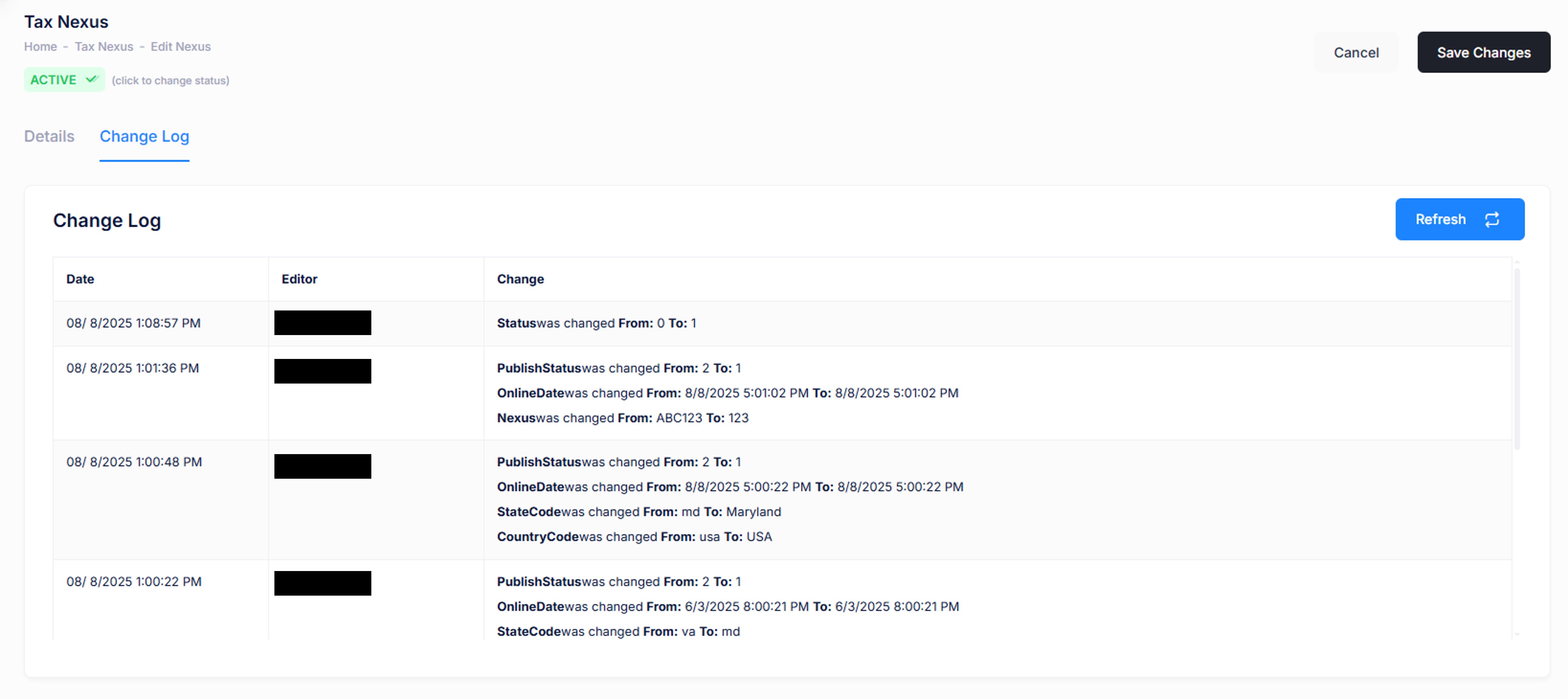
Details / Change Log
This tab logs all changes made to the nexus, including who made them. It's useful for tracking unexpected edits or troubleshooting issues.