
Shipping Methods
The Shipping Methods tool allows administrators to manage all shipping options shown on the site. Each method can have its own base charge, pricing rules, carrier codes, and SCAC designations (example USPS).
Searching for Shipping Methods
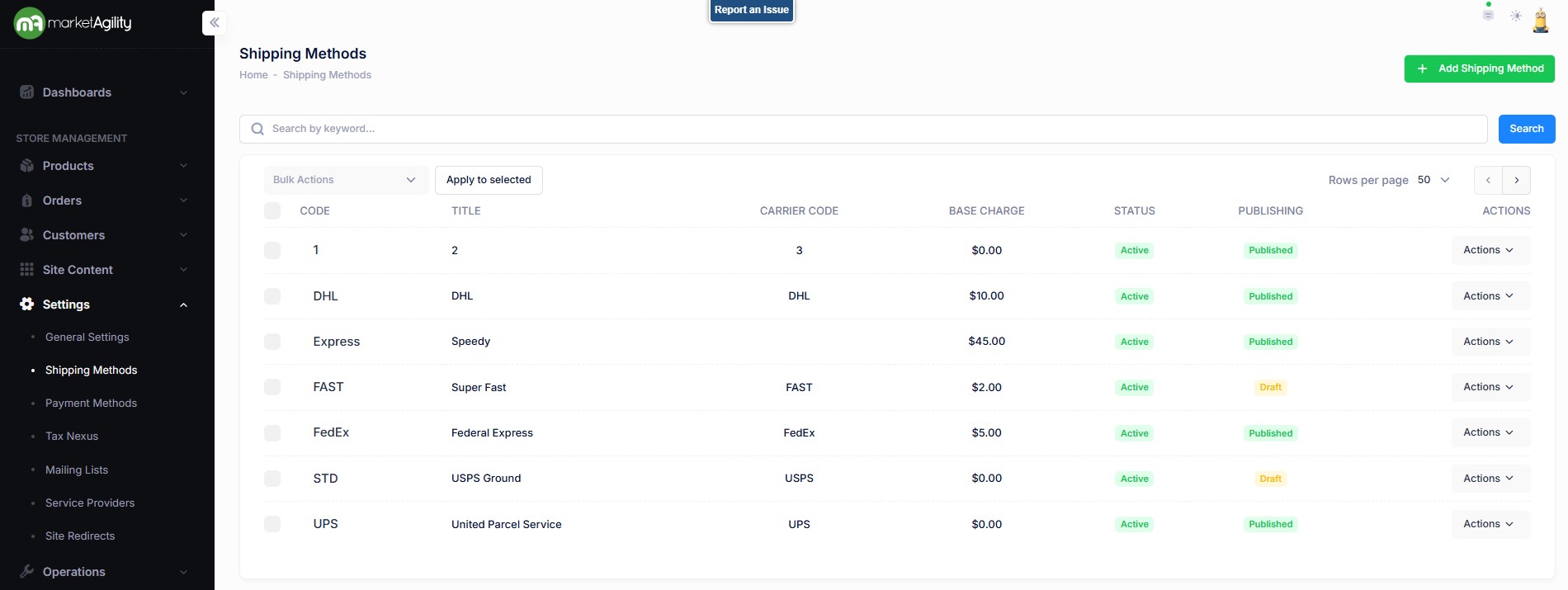
Use the search block to find shipping methods by specific attributes or create a new method by clicking 'Add Shipping Method.'
Attributes
| Property | Description |
|---|---|
| Code* | Unique ID for the shipping method; used for third-party integrations. Must be unique. |
| Title* | Customer-facing name for the shipping method |
| Carrier Code | Shipping provider (e.g., FedEx, UPS, USPS, DHL). |
| Base Charge* | Starting shipping charge before any rules are applied. |
| Status | Active or Inactive |
| Publishing | Draft / Published / Scheduled / Ready to Publish |
| Actions | Edit / Deactivate / Publish / Unpublish / Delete |
| Bulk Actions |
Activate / Deactivate / Publish / Unpublish. Use this function under the Search bar to apply bulk actions across one or many records. |
Details / Rules / Change Log
Attributes
| Property | Description |
|---|---|
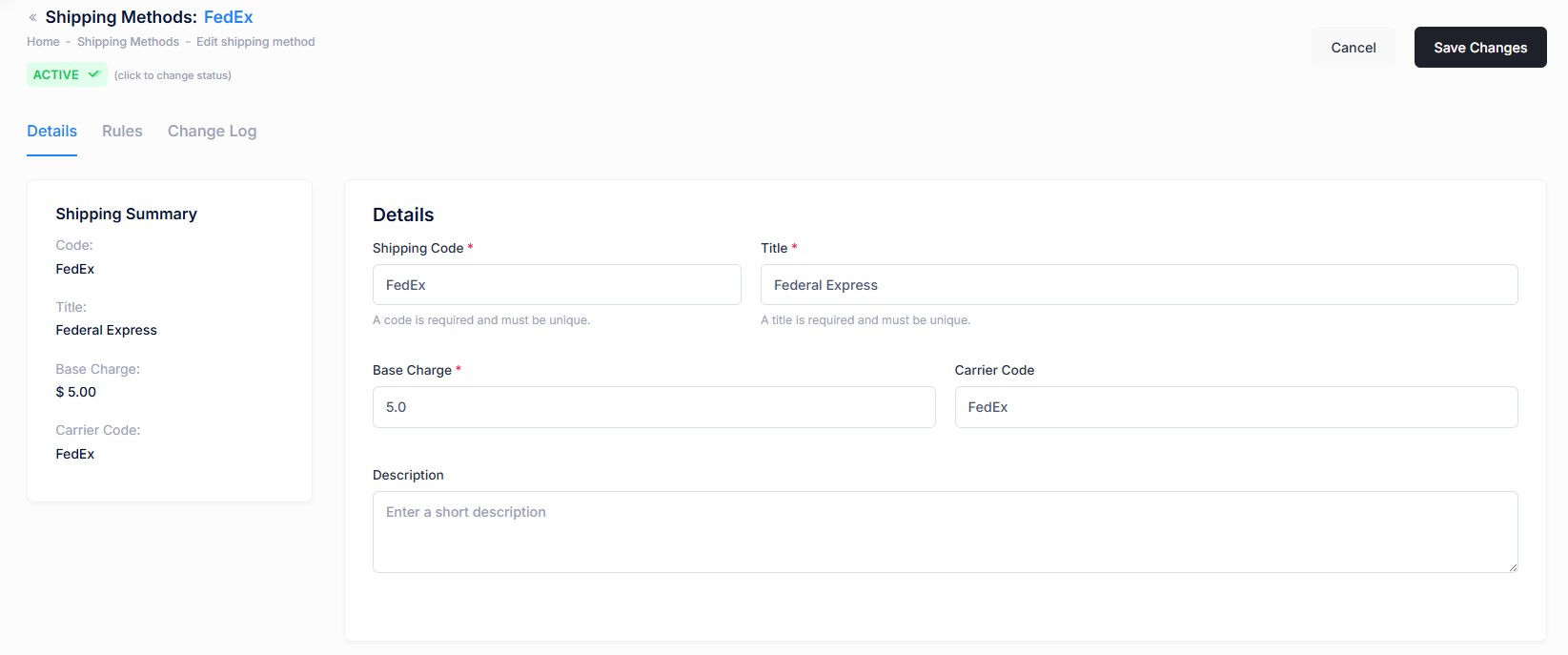
| Shipping Summary (not editable) | |
| Code | Unique ID for the shipping method; used for third-party integrations. Must be unique. |
| Title | Customer-facing name for the shipping method |
| Base Charge | Starting shipping charge before any rules are applied. |
| Carrier Code | Shipping provider (e.g., FedEx, UPS, USPS, DHL). |
| Details | |
| Shipping Code* | Unique ID for the shipping method; used for third-party integrations. Must be unique. |
| Title* | Customer-facing name for the shipping method |
| Base Charge* | Starting shipping charge before any rules are applied. |
| Carrier Code | Shipping provider (e.g., FedEx, UPS, USPS, DHL). |
| Description | Optional details shown to customers (e.g., estimated delivery time) |
Details / Rules / Change Log
Shipping Rule Attributes
| Property | Description |
|---|---|
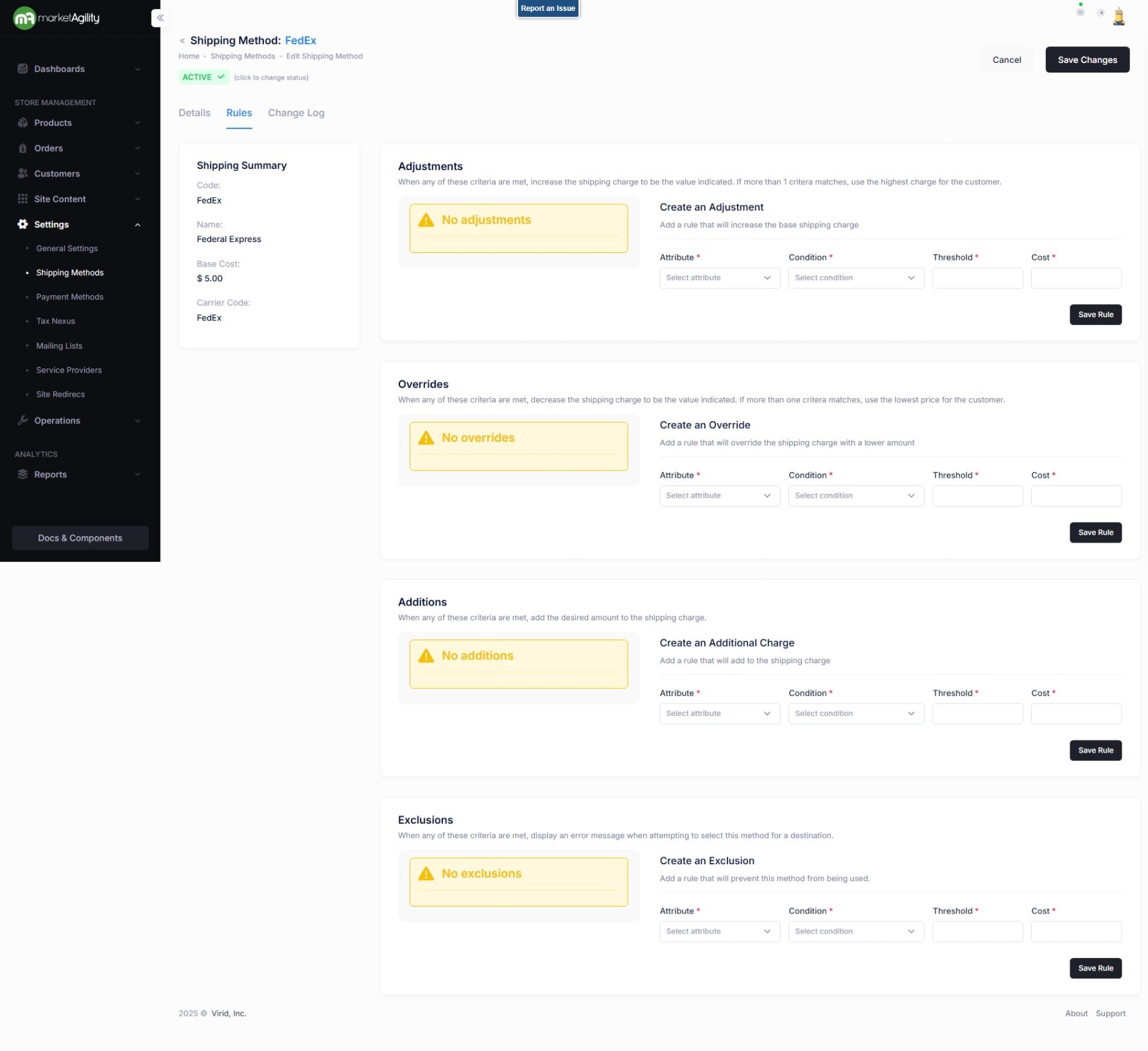
| Attribute* |
What is being evaluated (e.g., product, destination, order value). Below are the options.
|
| Condition* |
Comparison logic (e.g., greater than, equal to). Below are the options.
|
| Threshold* | The value to compare against |
| Cost* | The cost adjustment made if the condition is true |
How Rules Are Applied (In Order):
- Adjustments: Increase the base charge. If multiple apply, the largest increase is used.
- Overrides: Decrease the base charge. If multiple apply, the largest decrease is used
- Additions: Add to the adjusted cost (e.g., per item, destination fees)
- Exclusions: Prevent the shipping method from being selected based on specific criteria
Note
Exclusions are re-evaluated only when the shipping method is updated (e.g., after changing cart items or quantities). Ensure your site updates the shipping method after any cart changes
Details / Rules / Change Log
The change log tab shows all of the changes that were made to any template and by whom. It is useful for diagnosing unexpected results on your site.