
Site Redirects
Site Redirects allow administrators to set up redirects for URLs that no longer exist, helping preserve SEO value and improve user experience. This is especially useful when a URL changes but has accumulated backlinks or bookmarks.
Searching for Redirects
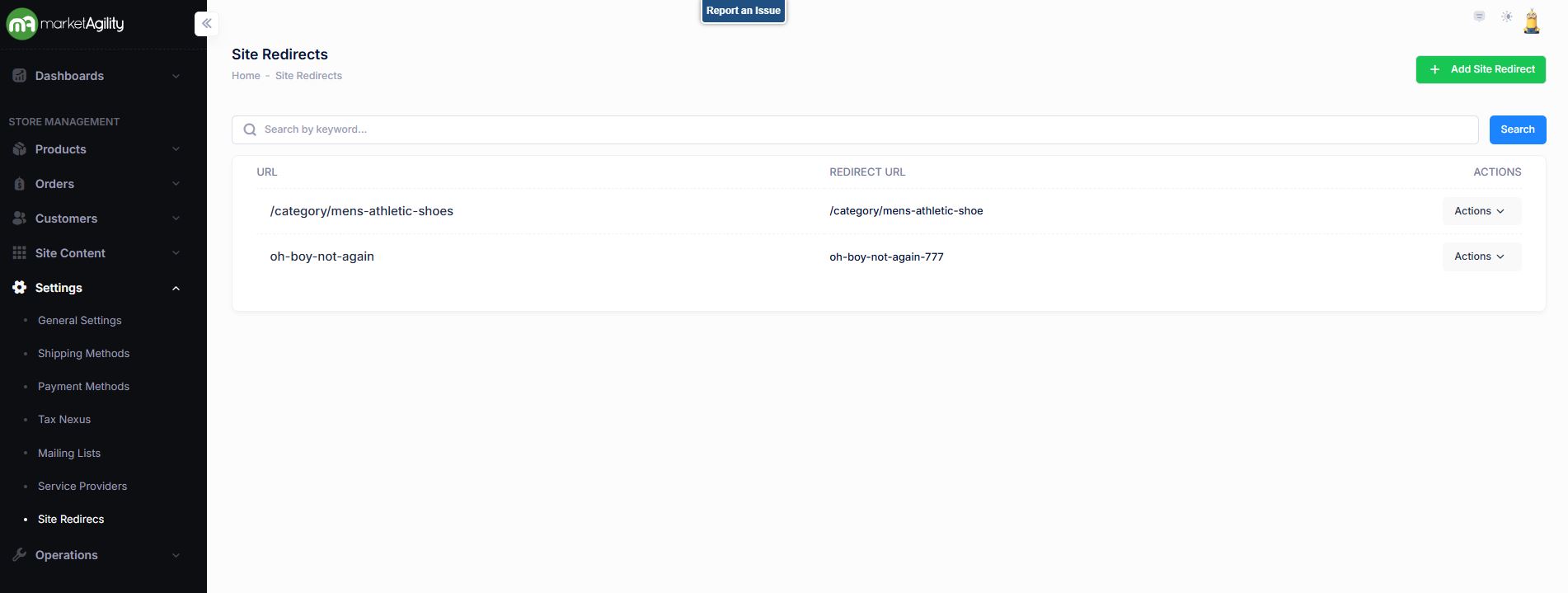
Use the search block to find existing redirects or click 'Add Site Redirect' to create a new one.
Attributes
| Property | Description |
|---|---|
| URL (original) | Full or partial match of the old (broken) URL |
| Redirect URL | Full or partial match of the new (target) URL |
| Actions | Edit / Delete |
Details
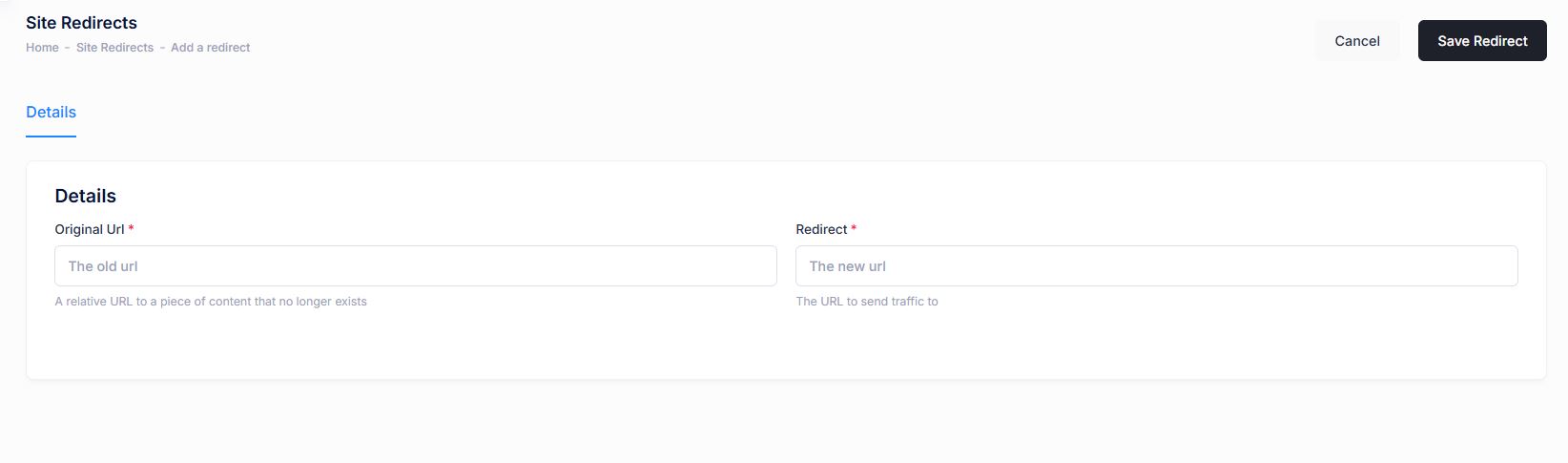
Create or manage redirect rules using the following fields:
| Property | Description |
|---|---|
| Original URL | A relative URL to a piece of content that no longer exists. Begin with “/” |
| Redirect | The URL users should be sent to. Begin with “/” |
Important Notes:
- Redirects only trigger if the original URL returns a 404 error. If the content still exists, the redirect will not apply
Redirects are updated in both staging and production environments simultaneously. On production, updates may take up to 15 minutes to take effect due to caching.