Payment Methods
The Payment Methods tool lets administrators manage the payment options available on the website, assign processors for handling transactions (authorization, billing, and credits), and configure integration credentials for third-party payment plugins (for both staging and production environments).
Searching for Payment Methods
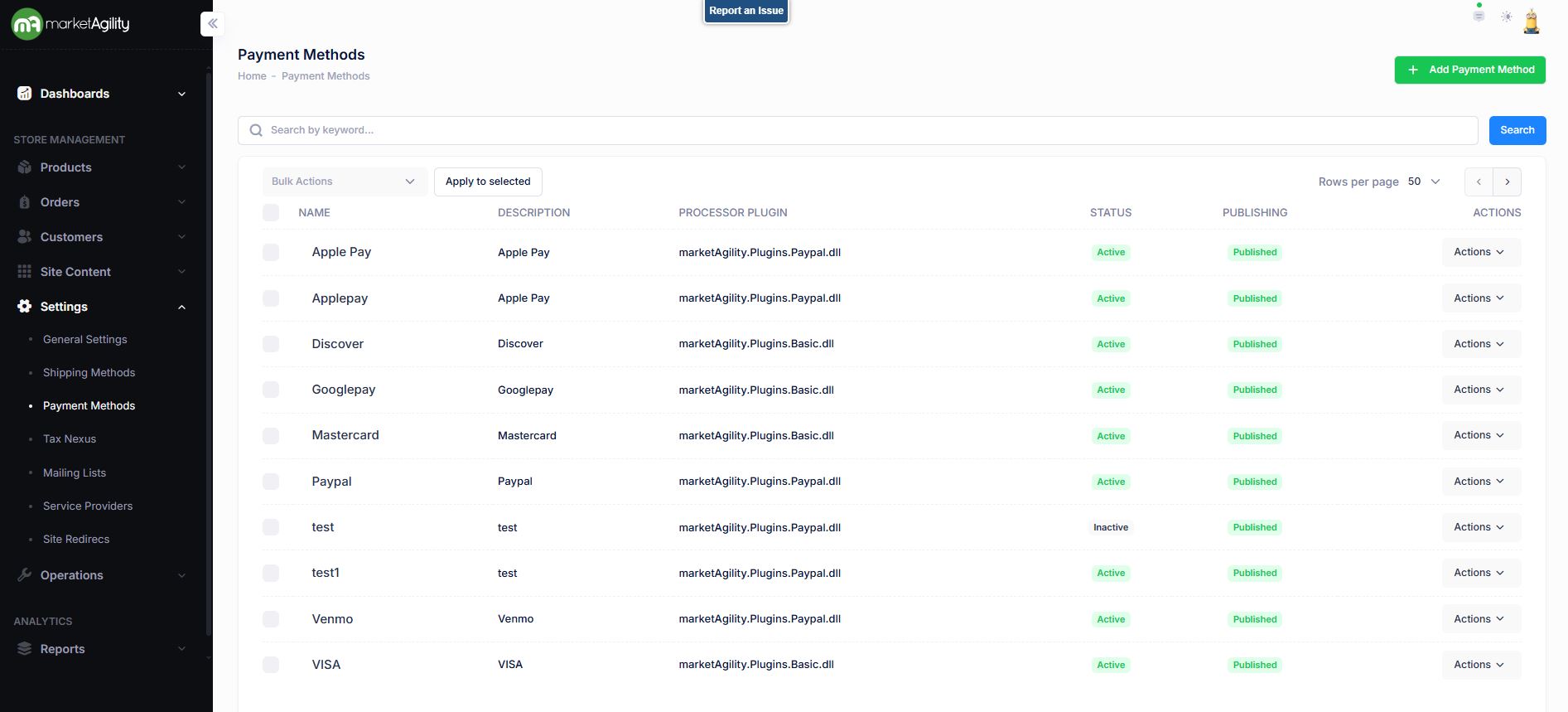
Use the search block to locate payment methods or add new ones using the “Add Payment Method” button.
Attributes
| Property | Description |
|---|---|
| Name | A unique code that identifies the payment method |
| Description | Internal description to explain the method to other admins |
| Processor Plugin | The plugin that will service auth, bill and credit requests. By default, this is set to marketAgility Basic. If you do not see your third party provider listed, make sure you have registered the email provider in the Service Providers tool. |
| Status | Active or Inactive |
| Publishing | Draft / Published / Scheduled / Ready to Publish |
| Actions | Edit / Deactivate / Publish / Unpublish / Delete |
| Bulk Actions |
Activate / Deactivate / Publish / Unpublish. Use this function under the Search bar to apply bulk actions across one or many records. |
Details / Change Log
| Property | Description |
|---|---|
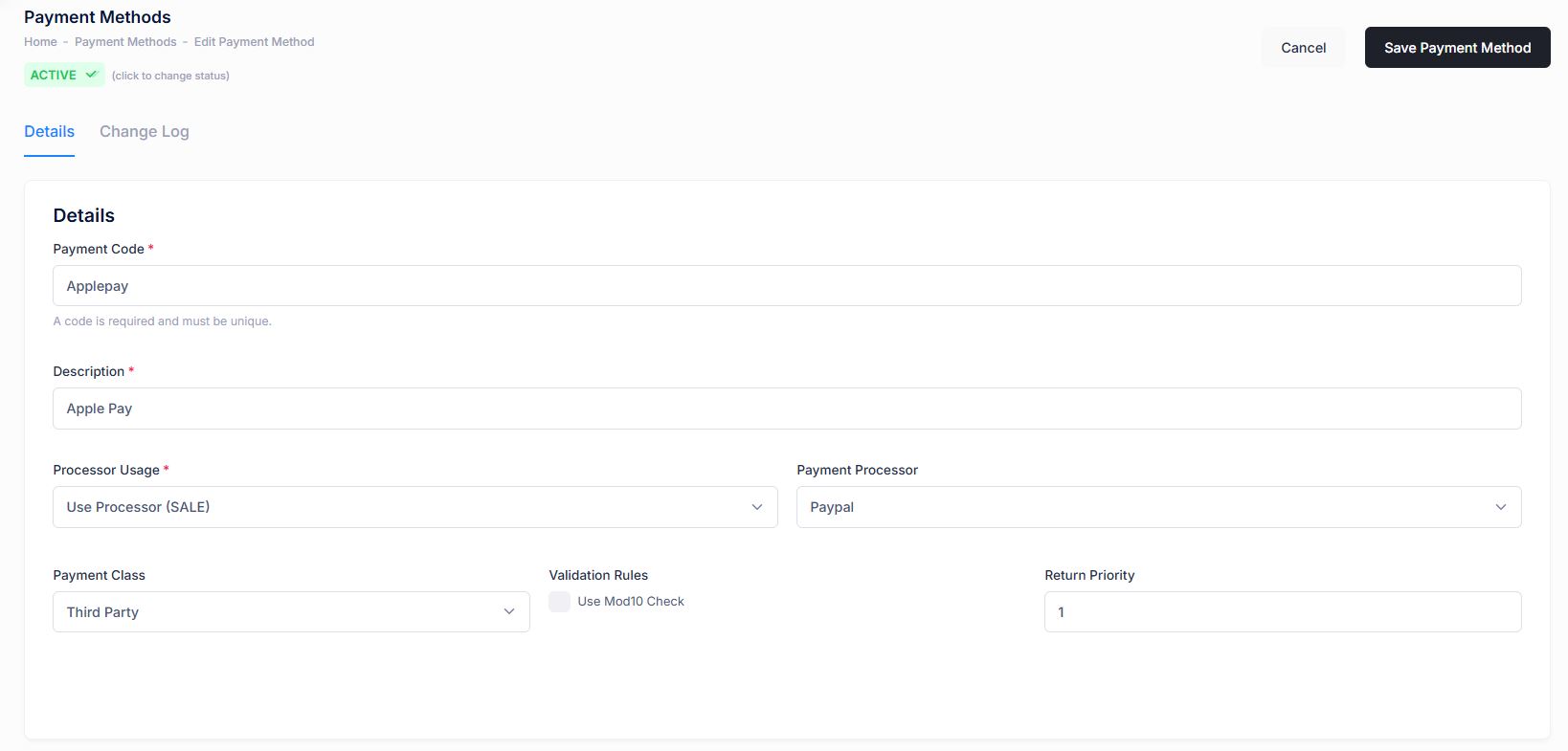
| Name / Payment Code | A unique code that identifies the payment method |
| Description | Internal description to explain the method to other admins |
| Processor Usage |
Defines how the payment processor handles the transaction. Options are below:
|
| Payment Processor | The plugin that will service auth, bill and credit requests. By default, this is set to marketAgility Basic. If you do not see your third party provider listed, make sure you have registered the email provider in Settings / Service Providers. |
| Payment Class | Used to categorize similar payment methods during checkout (e.g., Credit Cards, Gift Cards) |
| Validation Rules | Determines if validation (like Mod10 checksum) is required for card numbers |
| Return Priority | Sets the order in which refunds are applied when multiple payment methods are used. Lower numbers are prioritized first. |
Details / Change Log
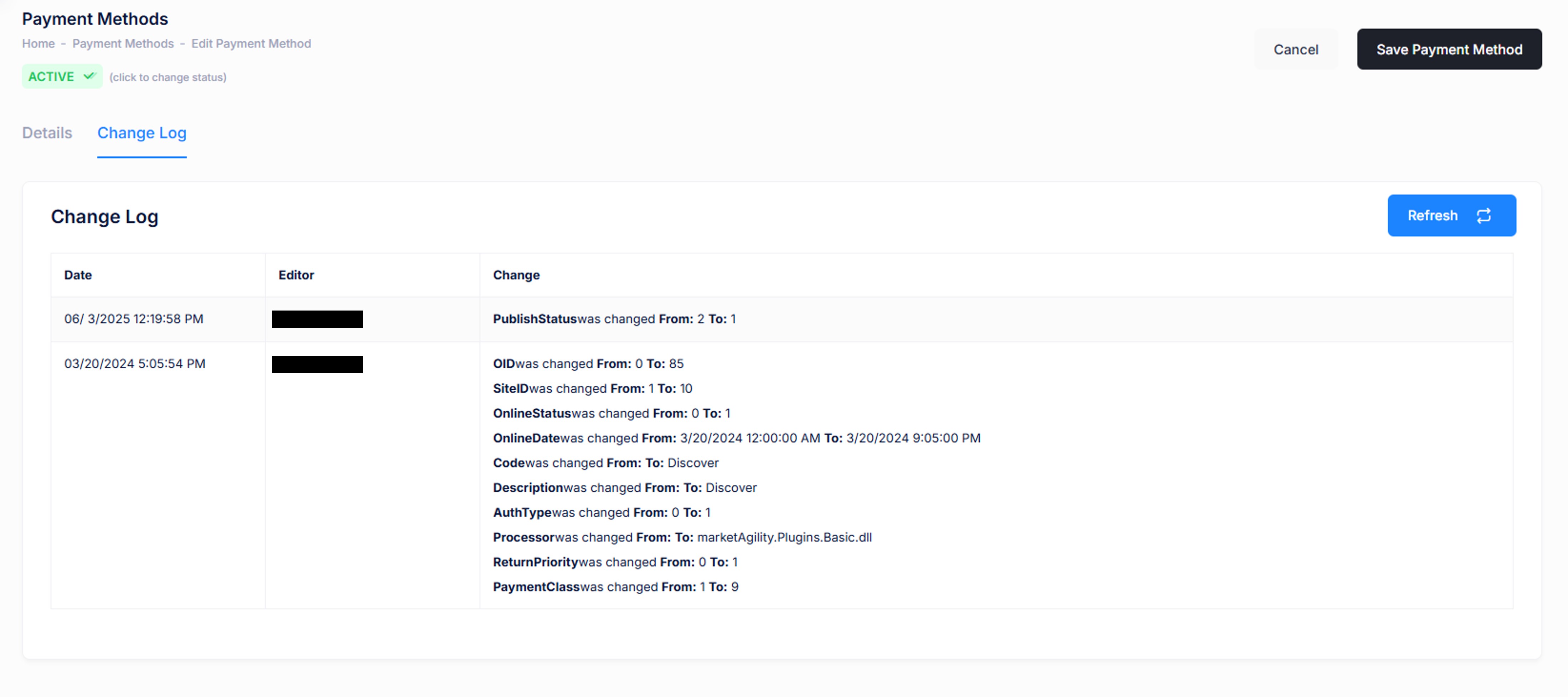
This tab logs all changes made to the payment method and by whom. It's useful for troubleshooting and auditing changes to the setup.