
Categories
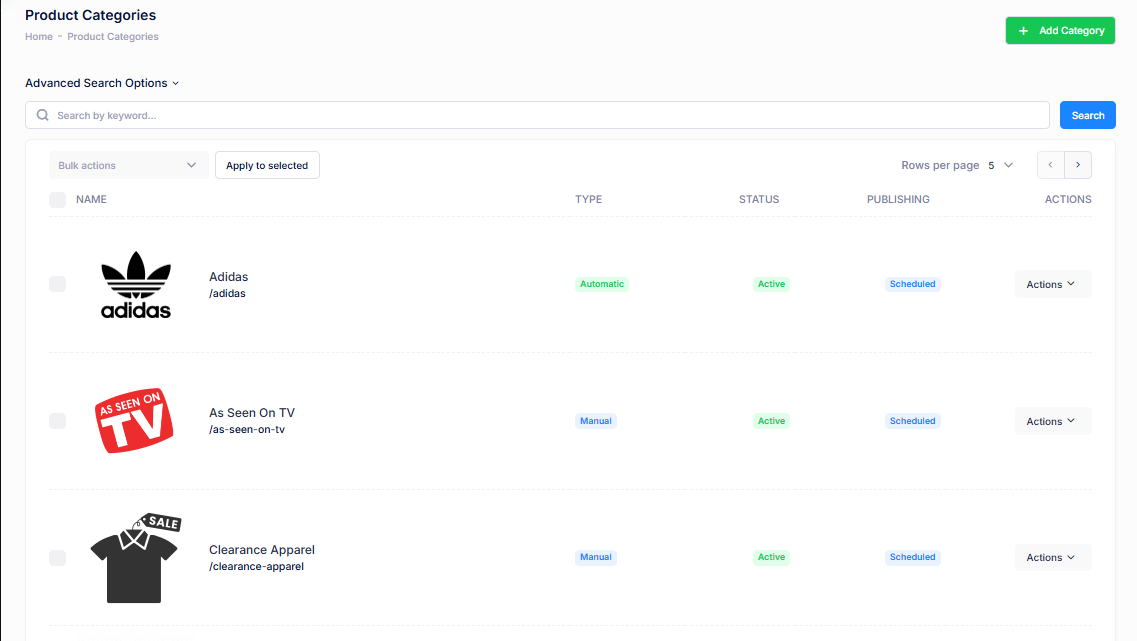
A category in mA7 is a way to group similar products together to help customers easily find what they're looking for. Categories organize your product catalog into logical sections based on shared characteristics—such as type, use, brand, or audience.
For example:
A clothing store might have categories like Men, Women, Kids, and Accessories.
Within Women, there could be subcategories like Dresses, Tops, and Shoes.
Categories improve site navigation, support filtering and search, and enhance the overall shopping experience.
| Property | Description |
|---|---|
| Details | |
| Category Name | A category name is the label or title given to a group of related products. |
| Handle | This is the ending part of the url that your customers will use to find your product. If you don't enter a value, one will be created automatically from your product name. |
| Auxiliary Info | Auxiliary info (short for auxiliary information) refers to additional product data that supports or enhances the main product details but isn't essential for basic display or purchase. |
| Select a Shop Template | Default Listing Page is the default here. Any other shop templates that have been created will appear in the dropdown. |
| Select a default Sort Order |
"Select a default sort order" means choosing the automatic way products are arranged when a customer first visits a product listing page (like a collection or category page) on your ecommerce site.
|
| Visibility Start | Date to show the product on the site. |
| Visibility End | Date to hide the product on the site. |
| Segment |
A segment is a group of customers who share specific characteristics or behaviors, used for targeted marketing, personalization, or analysis in an ecommerce business.
|
| Meta Options | |
| Meta Tag Title | A meta tag title, also known as a title tag, is an HTML element that defines the title of a web page. It appears in browser tabs, search engine results, and social media previews, and plays a key role in SEO and click-through rates. |
| Meta Tag Keywords | These are words and phrases that help customers find your products. They are used by the marketAgility site search as well as embedded in your product page to help search engines catalog your product. |
| Meta Description Tag | A meta description tag is an HTML attribute that provides a brief summary of a web page’s content. It's primarily used by search engines to display a description under the page title in search results. |
| Short Description | Short description of the Category you are creating. |
| Long Description | Long description of the Category you are creating. |
Automation - means using rules or logic to automatically assign products to categories (or collections) based on specific product attributes—rather than doing it manually.
Key Reasons to Automate Categories:
- Saves Time - Eliminates the need to manually tag or sort products—especially helpful for stores with large or frequently changing inventories.
- Scales Easily - As you add new products, they are instantly assigned to the correct category based on your rules (e.g., product type, vendor, tags, price).
- Reduces Human Error - Avoids mistakes like products being left uncategorized or incorrectly grouped.
- Keeps Storefront Updated - Automatically reflects inventory changes, new arrivals, or seasonal items—no manual updates required.
-
Improves Merchandising - Enables dynamic categories like:
- “Under $50”
- “New Arrivals”
- “Top Rated”
- “Back in Stock”
- Enhances Customer Experience - Ensures shoppers always see the most relevant and accurate product groupings, improving navigation and discovery.
| Automations | |
|---|---|
| Product Assignment Method |
Products can be added to a category either manually or automatically. Manual: Add products to this category one by one by manually selecting this category during product creation or update. Automatic: Products are matched with predetermined conditions and then automatically assigned to a category. |
| Conditions |
Conditions are rules or criteria used to automatically include or exclude products in a collection, category, or promotion—based on specific product attributes. Product Attribute:
Automations rules:
|
Common Conditions Used in Automations
| Product Attribute | Purpose | Example | Formula (Condition / Rule / Definition) |
|---|---|---|---|
| Product Tag | Use Meta Tags as filters | Tag equals “Winter Collection” | Product Tag / is equal to / Winter Collection |
| Product Name | Find Keywords in name | Title contains “jacket” | Product Name / contains / jacket |
| Product Brand | Include items from a specific brand | Vendor = Nike | Product Brand / is equal to / Nike |
| Product Badge | Use Badges as filters | Badge equals “New Arrival” | Product Badge / contains / New Arrival |
Additional conditions can be used to further narrow down an automation's end result.
Example: Product Brand is equal to Nike AND Product Badge is equal to New Arrival.
Meta Tags
Tips:
- Help search engines understand what the page is about
- Influence whether users click your listing in search results
- Improve search rankings when written with relevant keywords
- Reinforce branding by including your store or brand name
Best Practices:
- Keep it under 60 characters
- Include main keywords (e.g., product name, category)
- Make it compelling and clear
- Add your brand name at the end if space allows